Digital Forensics: Panduan Lengkap Investigasi Forensik Digital, Chain of Custody, dan Incident Response
Daftar Isi 18 bagian
Ringkasan Eksekutif
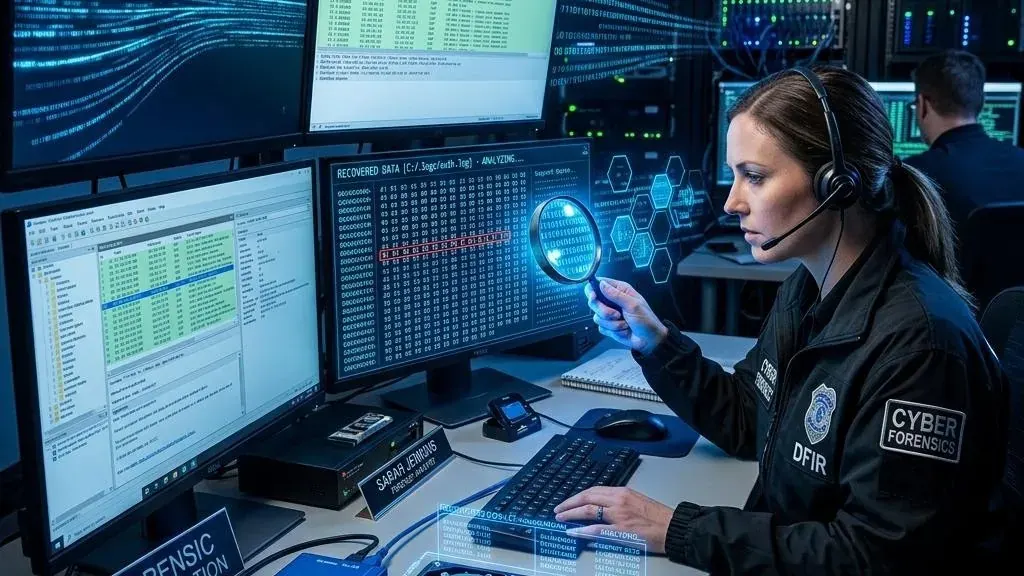
Digital forensics adalah disiplin yang memadukan ketelitian teknis dengan presisi hukum. Tujuannya: mengidentifikasi, mempreservasi, menganalisis, dan mendokumentasikan bukti digital dengan metode yang dapat dipertanggungjawabkan di pengadilan — dikenal sebagai forensically sound.
Bukti digital memiliki karakteristik yang membuatnya sangat berbeda dari bukti fisik. Ia mudah berubah, seringkali tidak terlihat, dan volumenya bisa mencapai terabyte. Tanpa metodologi yang ketat — forensic imaging dengan write blocker, cryptographic hash verification, chain of custody yang tidak terputus — bukti digital bisa kehilangan nilai hukumnya dalam hitungan menit.
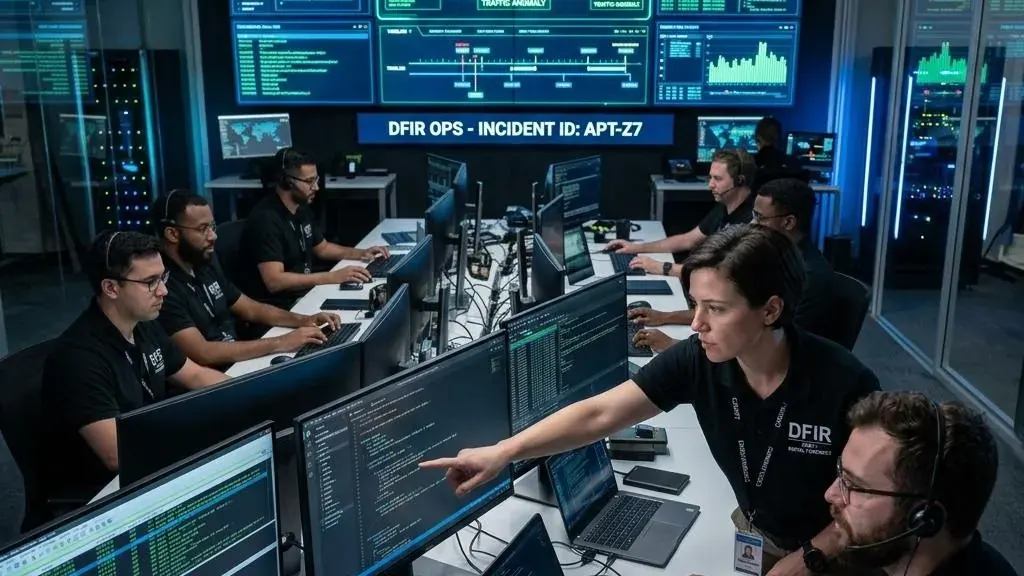
SANS 2025 Incident Response Survey mencatat kesenjangan yang signifikan: 64% organisasi dengan kapabilitas DFIR internal mampu mengidentifikasi root cause insiden dalam waktu kurang dari 24 jam. Bandingkan dengan hanya 19% untuk organisasi yang bergantung sepenuhnya pada konsultan eksternal. Di era di mana setiap insiden bisa berujung pada litigasi, tuntutan regulator, atau klaim asuransi — forensik digital bukan lagi domain eksklusif penegak hukum.
Apa Itu Digital Forensics?
DEFINISI DAN RUANG LINGKUP DIGITAL FORENSICS

DIGITAL FORENSICS ADALAH:
├── Ilmu dan seni mengidentifikasi, mengumpulkan, memeriksa,
│   dan menganalisis bukti digital
├── Dengan metode yang FORENSICALLY SOUND (dapat diterima secara hukum)
├── Sambil menjaga INTEGRITAS bukti (tidak berubah dari aslinya)
├── Untuk digunakan dalam:
│   ├── Investigasi kriminal (penegakan hukum)
│   ├── Litigasi perdata (e-discovery)
│   ├── Internal investigation (HR, fraud, policy violation)
│   ├── Incident response (security breach analysis)
│   └── Threat intelligence (malware analysis, TTP discovery)
└── Mencakup: disk, memory, network, mobile, cloud, email, malware,
    database, multimedia, dan IoT forensics

PERBEDAAN DENGAN KONSEP TERKAIT:

FORENSIC vs INCIDENT RESPONSE:
├── Forensik: fokus pada BUKTI — preservasi, analisis, dokumentasi
│   └── Pertanyaan: "Apa yang terjadi, bagaimana, siapa, kapan?"
├── Incident Response: fokus pada RESPONS — containment, eradication, recovery
│   └── Pertanyaan: "Bagaimana menghentikan dan memulihkan?"
└── Dalam praktik: DFIR (Digital Forensics & Incident Response) adalah
    satu disiplin yang menggabungkan keduanya

FORENSIC vs E-DISCOVERY:
├── Forensik: analisis MENDALAM — deleted files, unallocated space, memory
│   ├── Menggunakan teknik akuisisi bit-by-bit
│   └── Digunakan untuk investigasi kriminal dan insiden
├── E-Discovery: pengumpulan dan review dokumen untuk litigasi
│   ├── Fokus pada dokumen yang RELEVAN (tanpa analisis mendalam)
│   └── Digunakan dalam proses hukum perdata
└── Overlap: keduanya memerlukan chain of custody dan metodologi yang ketat

BUKTI DIGITAL:

├── KARAKTERISTIK BUKTI DIGITAL:
│   ├── Latent: tidak terlihat oleh mata telanjang — perlu tools
│   ├── Fragile: mudah berubah saat diakses (volatility)
│   ├── Voluminous: volume data sangat besar (terabyte)
│   ├── Persistent: data bisa bertahan lama (backup, cache, unallocated space)
│   ├── Replicable: dapat diduplikasi sempurna (forensic image)
│   └── Transient: beberapa data hilang saat power off (RAM, network connections)
├── JENIS BUKTI DIGITAL:
│   ├── Persistent data: tersimpan di disk — file, database, log, registry
│   ├── Volatile data: di memory — running processes, network connections,
│   │   logged-in users, encryption keys
│   ├── Network data: traffic captures — PCAP, NetFlow, firewall logs
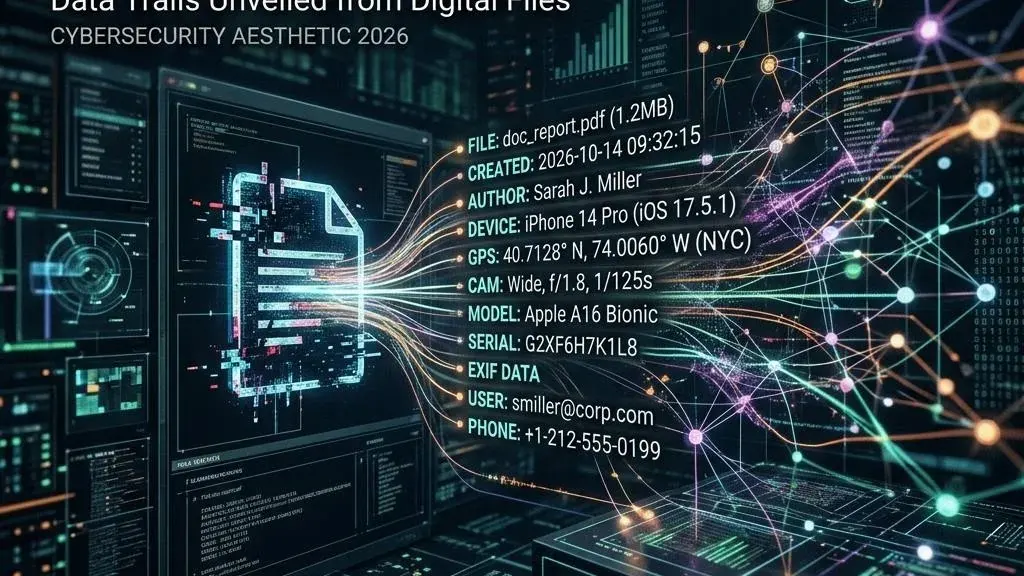
│   ├── Metadata: informasi tentang file/data — timestamps, author, GPS coordinates
│   ├── Deleted data: file yang dihapus tapi masih bisa direcovery
│   ├── Slack space: data di antara end-of-file dan end-of-cluster
│   ├── Unallocated space: area disk yang tidak dialokasikan ke file
│   └── System artifacts: event logs, registry, prefetch, shellbags, jump lists
└── ORDER OF VOLATILITY (RFC 3227):
    ├── 1. Registers, CPU cache
    ├── 2. ARP table, routing table, process table, kernel statistics
    ├── 3. Memory (RAM)
    ├── 4. Temporary file systems (/tmp, swap)
    ├── 5. Disk
    ├── 6. Remote logging dan monitoring data
    ├── 7. Physical configuration, network topology
    └── 8. Archival media (backup tapes, optical discs)
    └── PRINSIP: kumpulkan yang PALING VOLATIL terlebih dahulu
Prinsip Dasar Forensik Digital
PRINSIP-PRINSIP FORENSIK DIGITAL

1. PRINSIP INTEGRITAS BUKTI
   ├── Bukti digital TIDAK BOLEH BERUBAH selama proses forensik
   ├── Setiap akses ke bukti asli harus diminimalkan
   ├── Gunakan FORENSIC IMAGE (copy) — bukan yang asli — untuk analisis
   ├── Verifikasi integritas dengan CRYPTOGRAPHIC HASHING
   │   ├── Hash bukti asli: MD5 + SHA1 + SHA256
   │   ├── Hash forensic image: harus IDENTIK dengan yang asli
   │   └── Hash hasil analisis: hasil tidak boleh mengubah image
   └── Write blocker: hardware/software yang mencegah modifikasi
       evidence disk saat akuisisi

2. PRINSIP MINIMUM INTERVENTION (ACPO PRINCIPLES)
   ├── Principle 1: Tidak ada tindakan yang boleh mengubah data di
   │   komputer atau media penyimpanan yang dapat dijadikan bukti
   ├── Principle 2: Dalam keadaan luar biasa di mana seseorang harus
   │   mengakses data asli, orang tersebut harus KOMPETEN secara forensik
   │   dan mampu menjelaskan implikasi tindakannya
   ├── Principle 3: AUDIT TRAIL dari semua proses yang diterapkan
   │   pada bukti digital harus dibuat dan dipreservasi. Pihak ketiga
   │   yang independen harus bisa memeriksa proses tersebut dan
   │   mencapai hasil yang sama
   └── Principle 4: Person in charge of the investigation memiliki
       tanggung jawab keseluruhan untuk memastikan hukum dan prinsip
       ini dipatuhi

3. PRINSIP CHAIN OF CUSTODY
   ├── Setiap perpindahan/pengaksesan bukti HARUS TERCATAT
   ├── Informasi yang dicatat:
   │   ├── Siapa yang mengakses/memindahkan
   │   ├── Kapan (tanggal, waktu)
   │   ├── Mengapa (tujuan)
   │   ├── Dari mana ke mana
   │   └── Kondisi bukti (segel, hash verification)
   └── Tujuan: membuktikan bukti tidak diubah/tidak diakses tidak sah

4. PRINSIP DOCUMENTATION
   ├── SEMUA tindakan harus didokumentasikan
   ├── Cukup detail sehingga investigator lain bisa mereproduksi hasil
   ├── Dokumentasi meliputi:
   │   ├── Case notes (catatan investigasi)
   │   ├── Chain of custody forms
   │   ├── Tool versions dan konfigurasi
   │   ├── Screenshot dan export hasil
   │   ├── Timeline dan kronologi
   │   └── Asumsi dan keputusan yang diambil
   └── Semua untuk: reproducibility + admissibility

5. PRINSIP LEGAL COMPLIANCE
   ├── Pengetahuan tentang hukum yang berlaku
   ├── Surat perintah / otorisasi tertulis untuk investigasi
   ├── Privacy consideration (data pribadi pihak ketiga)
   ├── Data protection laws (UU PDP, GDPR)
   └── Admissibility requirements (Daubert standard, Frye standard)
Jenis-Jenis Forensik Digital
DOMAIN FORENSIK DIGITAL

1. DISK FORENSICS (COMPUTER FORENSICS)
   ├── Target: hard drives, SSDs, USB drives, memory cards, optical media
   ├── Fokus:
   │   ├── File system analysis (NTFS, ext4, APFS, FAT32, exFAT)
   │   ├── File recovery (deleted files, formatted drives)
   │   ├── Timeline analysis (MACB timestamps)
   │   ├── Registry analysis (Windows)
   │   ├── System artifacts (event logs, prefetch, shellbags, LNK files)
   │   ├── User activity (browser history, recent docs, email)
   │   └── Data carving (file signatures di unallocated space)
   └── Tools: FTK Imager, EnCase, X-Ways Forensics, Autopsy/Sleuth Kit

2. MEMORY FORENSICS
   ├── Target: RAM dump — capture isi memory volatile
   ├── Fokus:
   │   ├── Running processes (+ hidden processes)
   │   ├── Network connections (established, listening, closed)
   │   ├── Loaded DLLs dan kernel modules
   │   ├── Injected code (malware hiding in legitimate processes)
   │   ├── Registry hives in memory
   │   ├── Passwords, encryption keys, credentials
   │   ├── Console commands (cmd.exe, PowerShell history)
   │   └── File handles, mutexes, semaphores
   └── Tools: Volatility 3, Rekall, Magnet RAM Capture, DumpIt

3. NETWORK FORENSICS
   ├── Target: network traffic (PCAP), NetFlow, firewall logs, proxy logs
   ├── Fokus:
   │   ├── Packet analysis (protocols, payload)
   │   ├── Session reconstruction (re-assemble TCP streams)
   │   ├── Data exfiltration detection
   │   ├── C2 communication identification
   │   ├── Lateral movement tracking
   │   └── DNS analysis (tunneling, DGA domains)
   └── Tools: Wireshark, tshark, Zeek (Bro), NetworkMiner, Moloch/Arkime

4. MOBILE FORENSICS
   ├── Target: smartphones, tablets (Android, iOS)
   ├── Fokus:
   │   ├── SMS/MMS, call logs, contacts
   │   ├── Chat applications (WhatsApp, Telegram, Signal, LINE)
   │   ├── Social media (Facebook, Instagram, TikTok)
   │   ├── GPS/location data
   │   ├── Photos, videos, audio recordings
   │   ├── App data (banking, email, notes)
   │   └── Deleted data recovery
   └── Tools: Cellebrite UFED, Magnet AXIOM, Belkasoft, Oxygen Forensic

5. CLOUD FORENSICS
   ├── Target: data dan logs dari layanan cloud (AWS, Azure, GCP, SaaS)
   ├── Fokus:
   │   ├── Cloud service logs (API calls, authentication, data access)
   │   ├── Email forensics (Microsoft 365, Google Workspace)
   │   ├── File sharing services (SharePoint, Google Drive, Dropbox)
   │   ├── Database forensics (cloud databases)
   │   └── Container/serverless forensics
   ├── Tantangan:
   │   ├── Data di luar kontrol fisik organisasi
   │   ├── Multi-tenancy — segregasi data
   │   ├── Jurisdiksi — data di data center negara lain
   │   └── Ketergantungan pada provider untuk logs
   └── Tools: cloud-native logging + forensic tools dengan cloud connectors

6. MALWARE FORENSICS (MALWARE ANALYSIS)
   ├── Target: binary malware, scripts, malicious documents
   ├── Static analysis:
   │   ├── File identification, hashing, strings
   │   ├── PE header analysis, imports/exports
   │   └── Signature detection (YARA)
   ├── Dynamic analysis:
   │   ├── Sandbox execution (ANY.RUN, Joe Sandbox, CAPE)
   │   ├── Behavioral monitoring
   │   └── Network traffic capture
   ├── Reverse engineering:
   │   ├── Disassembly (IDA Pro, Ghidra, Radare2)
   │   ├── Debugging (x64dbg, WinDbg, lldb)
   │   └── Deobfuscation, unpacking
   └── Tools: Ghidra, IDA Pro, x64dbg, YARA, CAPE Sandbox

7. EMAIL FORENSICS
   ├── Target: email messages, headers, attachments
   ├── Fokus:
   │   ├── Email header analysis (Received chain, authentication results)
   │   ├── Spoofing detection
   │   ├── Email timeline reconstruction
   │   ├── Attachment analysis (malware, malicious macros)
   │   └── Mail server logs
   └── Tools: manual header analysis, MailXaminer, Aid4Mail

8. DATABASE FORENSICS
   ├── Target: database server dan file database (MSSQL, MySQL, Oracle)
   ├── Fokus:
   │   ├── Transaction log analysis (row-level changes)
   │   ├── Deleted record recovery
   │   ├── SQL injection forensics
   │   ├── Access log analysis
   │   └── Schema changes tracking
   └── Tools: specialized DB forensics tools, manual SQL query
Proses Forensik Digital (NIST)
NIST SP 800-86: GUIDE TO INTEGRATING FORENSIC TECHNIQUES
INTO INCIDENT RESPONSE

EMPAT FASE PROSES FORENSIK DIGITAL:

┌─────────────────────────────────────────────────┐
│           FORENSIC PROCESS — NIST SP 800-86     │
│                                                 │
│  COLLECTION → EXAMINATION → ANALYSIS → REPORTING│
│                                                 │
│  Kebijakan dan prosedur harus ditetapkan untuk  │
│  setiap fase dengan tepat.                      │
└─────────────────────────────────────────────────┘

1. COLLECTION
   ├── Identifikasi sumber bukti potensial
   ├── Akuisisi data dari sumber yang teridentifikasi
   ├── Preservasi integritas (hashing, write blocking)
   ├── Label dan dokumentasi
   ├── Chain of custody dimulai
   └── Prioritas: Order of Volatility (paling volatil dulu)

2. EXAMINATION
   ├── Memproses data mentah menjadi format yang bisa dianalisis
   ├── Menggunakan kombinasi otomatis (tools) dan manual
   ├── Aktivitas:
   │   ├── File system reconstruction (extract files, directories)
   │   ├── File carving (recover deleted files dari unallocated space)
   │   ├── Decryption (password cracking, decryption keys di memory)
   │   ├── Indexing (full-text search untuk keyword)
   │   ├── Filtering (exclude known-good files via hash sets — NSRL)
   │   └── Data reduction (fokus pada yang relevan)
   └── Output: data yang siap untuk dianalisis

3. ANALYSIS
   ├── Menganalisis data hasil examination untuk menjawab pertanyaan
   │   investigasi
   ├── Pertanyaan yang dijawab:
   │   ├── Siapa yang melakukan?
   │   ├── Apa yang dilakukan?
   │   ├── Kapan dilakukan?
   │   ├── Dari mana?
   │   ├── Bagaimana caranya?
   │   └── Apa dampaknya?
   ├── Aktivitas:
   │   ├── Timeline analysis (rekonstruksi kronologi)
   │   ├── Link analysis (hubungan antar entitas)
   │   ├── Anomaly detection (yang tidak biasa)
   │   └── Correlation (menghubungkan bukti dari berbagai sumber)
   └── Output: temuan yang mendukung atau membantah hipotesis investigasi

4. REPORTING
   ├── Menyusun laporan forensik yang komprehensif
   ├── Dua jenis laporan:
   │   ├── Executive Report: untuk manajemen/pengacara — ringkasan
   │   └── Technical Report: untuk investigator teknis — detail
   ├── Komponen laporan:
   │   ├── Identifikasi kasus
   │   ├── Ringkasan eksekutif
   │   ├── Metodologi dan tools
   │   ├── Temuan (findings)
   │   ├── Timeline
   │   ├── Kesimpulan
   │   ├── Rekomendasi
   │   └── Appendices (log, chain of custody, hash values, dll.)
   └── Laporan harus: akurat, objektif, jelas, dan dapat direproduksi
Fase 1: Collection – Akuisisi Bukti Digital
AKUISISI BUKTI DIGITAL

1. IDENTIFIKASI SUMBER BUKTI

   Sebelum mengumpulkan, identifikasi SEMUA sumber bukti potensial:

   ├── Computers dan servers (desktop, laptop, virtual machines)
   ├── Mobile devices (smartphone, tablet, GPS)
   ├── External storage (USB drives, external HDD, SD cards)
   ├── Network devices (routers, switches, firewalls, IDS/IPS)
   ├── Cloud services (SaaS applications, cloud storage, IaaS resources)
   ├── Email servers (Exchange, Microsoft 365, Google Workspace)
   ├── Log sources (SIEM, syslog, Windows Event Logs, application logs)
   ├── Memory dumps (RAM dari running systems)
   ├── Network captures (PCAP, NetFlow)
   ├── Backup media (tapes, cloud backups, snapshot)
   ├── Security tools (EDR telemetry, antivirus logs, DLP alerts)
   └── Physical evidence (CCTV, access badge logs, sign-in sheets)

2. ORDER OF VOLATILITY (RFC 3227)

   KOLEKSI DARI PALING VOLATIL → PALING PERSISTEN:

   PRIORITAS 1: LIVE SYSTEM DATA
   ├── 1A. Network connections (established, listening)
   ├── 1B. Running processes (+ arguments, loaded DLLs)
   ├── 1C. Logged-in users
   ├── 1D. ARP cache, routing table
   ├── 1E. Open files, shared folders
   ├── 1F. Scheduled tasks / cron jobs
   ├── 1G. Environment variables
   └── 1H. Clipboard contents

   PRIORITAS 2: MEMORY DUMP (RAM)
   ├── Capture full physical memory
   ├── Tools: Magnet RAM Capture, DumpIt, winpmem, AVML (Linux)
   ├── Output: .raw, .mem, .dmp, .vmem (tergantung tool)
   ├── Hash untuk integritas
   └── CATATAN: Memory dump mengubah state memory (tool harus di-load
       ke memory untuk men-dump) — ini diterima dan unavoidable

   PRIORITAS 3: DISK FORENSIC IMAGE
   ├── Full disk image (bit-by-bit copy — termasuk unallocated space)
   ├── Gunakan WRITE BLOCKER:
   │   ├── Hardware: Tableau, WiebeTech forensic bridges
   │   └── Software: SAFE Block (Windows), paladin (Linux live boot)
   ├── Format: RAW (.dd, .001), E01 (EnCase), AFF (Advanced Forensics Format)
   ├── Hash: MD5 + SHA1 + SHA256 dihitung SEBELUM dan SESUDAH imaging
   │   └── Hash harus identik untuk memverifikasi integritas
   └── Document: make, model, serial number, kapasitas disk

   PRIORITAS 4: REMOTE / CLOUD DATA
   ├── Logs dari cloud services (API calls)
   ├── Email mailbox export (PST, MBOX, EML)
   ├── SaaS application data
   └── Cloud storage snapshots

   PRIORITAS 5: ARCHIVAL / BACKUP DATA
   ├── Backup tapes, external drives
   ├── Snapshot dan image backup
   └── Historical logs

3. TRIAGE — LIVE FORENSICS

   Ketika sistem TIDAK BISA DIMATIKAN (critical production server):

   ├── Koleksi live data TANPA mematikan sistem
   ├── Tools untuk live forensics:
   │   ├── KAPE (Kroll Artifact Parser and Extractor) — Windows
   │   ├── Velociraptor — enterprise-grade live forensics
   │   ├── GRR Rapid Response — Google open source
   │   ├── UAC (Unix-like Artifacts Collector) — Linux
   │   └── OSXCollector — macOS
   ├── Koleksi targeted: hanya artifact yang paling relevan
   │   ├── Registry hives
   │   ├── Event logs
   │   ├── Prefetch files
   │   ├── Amcache, Shimcache
   │   ├── MFT (Master File Table)
   │   ├── Browser history
   │   └── Recent files
   └── TRIAGE IMAGE: image lebih cepat dari full disk image
       └── Untuk situasi di mana waktu atau storage terbatas

4. CRYPTOGRAPHIC HASH VERIFICATION

   ├── Hash dihitung untuk:
   │   ├── Bukti asli (sebelum akuisisi)
   │   ├── Forensic image (setelah akuisisi)
   │   └── BUKTI ASLI HASH = IMAGE HASH → akuisisi sukses
   ├── Hash algorithms:
   │   ├── MD5 (cepat, tapi kolisi memungkinkan — tidak cukup sendiri)
   │   ├── SHA-1 (lebih baik dari MD5)
   │   └── SHA-256 (gold standard — gunakan ini)
   ├── Tools: md5sum, sha256sum, FTK Imager (built-in verification)
   └── CATATAN: Simpan hash values di chain of custody form

5. FORENSIC IMAGE FORMATS

   ├── RAW (.dd, .001, .img)
   │   ├── Bit-perfect copy, tidak ada kompresi
   │   ├── Besar = ukuran asli disk
   │   ├── Bisa di-split (file .001, .002, .003)
   │   └── Paling universal — semua tools bisa baca
   ├── E01 (EnCase Evidence File)
   │   ├── Format proprietary EnCase (sekarang open spec)
   │   ├── Fitur: kompresi, hash verification embedded, metadata
   │   ├── Lebih kecil dari RAW karena kompresi
   │   └── Didukung oleh mayoritas tools
   └── AFF (Advanced Forensics Format)
       ├── Open source, extensible
       ├── Fitur: kompresi, metadata, encryption
       └── Digunakan oleh Autopsy/Sleuth Kit

6. WRITE BLOCKERS

   ├── HARDWARE WRITE BLOCKER:
   │   ├── Alat fisik yang diletakkan antara evidence disk dan komputer
   │   ├── Memungkinkan perintah READ tapi memblokir perintah WRITE
   │   ├── Brands: Tableau (Guidance Software), WiebeTech (CRU)
   │   │   UltraBlock
   │   └── Kelebihan: 100% reliable (hardware-level), tidak bisa di-bypass
   │       oleh software
   └── SOFTWARE WRITE BLOCKER:
       ├── Menggunakan OS atau driver untuk memblokir write
       ├── Linux: mount -o ro (read-only), udev rules, forensic boot (Paladin)
       ├── Windows: registry tweak (WriteProtect), SAFE Block
       └── Kelebihan: tidak perlu hardware tambahan
       └── Kekurangan: bisa di-bypass oleh malware atau bug OS
Fase 2: Examination – Pemrosesan Data Forensik
PEMROSESAN BUKTI SETELAH AKUISISI

BEKERJA PADA FORENSIC IMAGE — BUKAN BUKTI ASLI

1. VERIFIKASI IMAGE
   ├── Hitung ulang hash forensic image
   ├── Bandingkan dengan hash yang dicatat saat akuisisi
   ├── HARUS IDENTIK — jika tidak: image corrupted → akuisisi ulang
   └── Catat verifikasi di case notes

2. MOUNT / LOAD IMAGE
   ├── Load forensic image ke tools analisis:
   │   ├── FTK Imager: mount image as read-only drive letter
   │   ├── Arsenal Image Mounter: mount berbagai format
   │   ├── Linux: mount -o loop,ro,noexec image.dd /mnt/evidence
   │   └── Autopsy: add image sebagai data source
   └── Image tetap unchanged — semua analisis di layer di atasnya

3. FILE SYSTEM RECONSTRUCTION
   ├── Tools membaca file system dari image:
   │   ├── NTFS: Master File Table ($MFT)
   │   ├── ext4: inode tables, superblock
   │   ├── APFS: container and volume structures
   │   └── FAT/exFAT: File Allocation Table
   └── Output: directory tree dengan semua file yang terlihat

4. FILE CARVING (DATA RECOVERY)
   ├── Mencari file di UNALLOCATED SPACE dan SLACK SPACE
   ├── Metode:
   │   ├── Header/Footer carving: cari file signature (magic bytes)
   │   │   ├── JPEG: FF D8 FF E0 ... FF D9
   │   │   ├── PDF: 25 50 44 46 (%PDF) ... 25 25 EOF
   │   │   ├── ZIP: 50 4B 03 04
   │   │   ├── Office: D0 CF 11 E0 (OLE2)
   │   │   └── See: https://www.garykessler.net/library/file_sigs.html
   │   └── File structure carving: untuk file yang terfragmentasi
   ├── Tools: foremost, photorec, scalpel, FTK, EnCase
   └── Hasil: file yang dihapus — bahkan setelah dihapus dari Recycle Bin

5. FILE FILTERING (DATA REDUCTION)
   ├── Tujuan: mengurangi jutaan file ke yang RELEVAN saja
   ├── Known-good files filtering:
   │   ├── National Software Reference Library (NSRL) — NIST
   │   ├── Berisi hash dari file OS dan aplikasi standar
   │   └── Filter OUT file-file ini (bukan evidence)
   ├── Known-bad files filtering:
   │   ├── Hash database malware
   │   └── Filter IN file-file ini (malware)
   ├── Keyword search:
   │   ├── Full-text indexing (dtSearch, Elasticsearch)
   │   └── Cari kata kunci spesifik
   └── Extension/type filtering
       └── Fokus pada file type tertentu (dokumen, gambar, email)

6. DECRYPTION
   ├── Jika ditemukan file terenkripsi:
   │   ├── Cek memory dump untuk encryption keys (TrueCrypt, BitLocker, FileVault)
   │   ├── Cek password managers di system
   │   ├── Cek sticky notes, text files, email untuk password
   │   ├── Password cracking (hashcat, John the Ripper) — jika diizinkan
   │   └── Live acquisition: jika sistem masih menyala, dapatkan
   │       decryption keys dari memory SEBELUM mematikan
   └── CATATAN: untuk full-disk encryption (BitLocker, FileVault, LUKS),
       ambil memory dump sebelum shutdown — kunci ada di memory
Fase 3: Analysis – Interpretasi Bukti
ANALISIS FORENSIK — MENJAWAB 5W+H

1. TIMELINE ANALYSIS

   MEMBANGUN KRONOLOGI DARI TIMESTAMP:

   ├── MACB TIMESTAMPS (NTFS):
   │   ├── M: Modified (isi file berubah)
   │   ├── A: Accessed (file diakses — sering dimatikan di Windows 10+)
   │   ├── C: Changed (metadata file berubah — bukan konten)
   │   └── B: Birth (file created)
   ├── SUMBER TIMESTAMP:
   │   ├── File system metadata (MFT, inode)
   │   ├── Event logs (Windows Security, System, Application)
   │   ├── Registry (UserAssist, RecentDocs, USB device connections)
   │   ├── Prefetch files (kapan executable dijalankan)
   │   ├── Browser history (kapan URL dikunjungi)
   │   ├── Email metadata (kapan email dikirim/diterima)
   │   ├── LNK files (kapan file shortcut diakses)
   │   ├── Jump lists (kapan file dibuka via taskbar)
   │   ├── Shellbags (kapan folder dibuka di Explorer)
   │   ├── $LogFile, $UsnJrnl (NTFS journal — perubahan file system)
   │   └── Application logs
   ├── TOOLS:
   │   ├── Plaso (log2timeline): super timeline engine
   │   ├── Timeline Explorer (Eric Zimmerman): visualize and filter
   │   ├── Autopsy: built-in timeline view
   │   └── Excel / custom scripts
   └── OUTPUT: Super Timeline — ribuan event tersusun kronologis

2. USER ACTIVITY ANALYSIS

   ├── APA YANG DILAKUKAN USER?
   │   ├── Files opened: RecentDocs, Office MRU, LNK files, Jump Lists
   │   ├── Programs executed: Prefetch, UserAssist, Amcache, Shimcache,
   │   │   AppCompatCache, BAM/DAM
   │   ├── Folders browsed: Shellbags
   │   ├── Commands typed: PowerShell history, CMD history
   │   ├── Websites visited: browser history, cache, bookmarks
   │   ├── Emails sent/received: PST, OST, mailbox export
   │   ├── Files downloaded: browser downloads, Zone.Identifier ADS
   │   ├── USB devices connected: SetupAPI logs, device classes,
   │   │   USBSTOR registry key
   │   └── Network shares accessed: registry, LNK files
   └── WINDOWS REGISTRY ARTIFACTS (HIVEs):
       ├── SAM: local user accounts
       ├── SECURITY: security policies, cached credentials
       ├── SOFTWARE: installed software, configurations
       ├── SYSTEM: hardware, services, network configuration
       └── NTUSER.DAT: user-specific settings, activity traces

3. MALWARE / ATTACKER ACTIVITY ANALYSIS

   ├── INITIAL ACCESS:
   │   ├── Email attachments (Outlook PST, attachment traces)
   │   ├── Spear-phishing links (browser history, URL in emails)
   │   ├── Malicious downloads (Zone.Identifier, browser downloads)
   │   └── Exploit artifacts (crash dumps, suspicious process creation)
   ├── PERSISTENCE:
   │   ├── Registry Run Keys / RunOnce
   │   ├── Scheduled Tasks (C:\Windows\System32\Tasks)
   │   ├── Services (new, modified)
   │   ├── Startup folder
   │   ├── WMI Event Subscriptions
   │   ├── DLL hijacking (replaced legitimate DLLs)
   │   └── LNK file in Startup
   ├── EXECUTION:
   │   ├── Prefetch files (PF files — kapan executable dijalankan + hash)
   │   ├── Amcache (executable metadata + SHA1 hash)
   │   ├── Shimcache/AppCompatCache (executables + file path)
   │   ├── UserAssist (executables + run count + last run time)
   │   └── BAM/DAM (Background Activity Moderator — last execution time)
   ├── LATERAL MOVEMENT:
   │   ├── RDP connection logs (Event ID 4624 Type 10)
   │   ├── SMB connection traces
   │   ├── WinRM/PowerShell Remoting logs
   │   └── PSExec artifacts
   ├── CREDENTIAL ACCESS:
   │   ├── LSASS memory dump (Mimikatz traces)
   │   ├── SAM/SECURITY dump attempts
   │   ├── NTDS.dit access (domain controller)
   │   └── Kerberos ticket artifacts
   ├── DATA EXFILTRATION:
   │   ├── Large file copies (USN Journal, file system timestamps)
   │   ├── Archive creation (ZIP, RAR, 7z — file signature + prefetch)
   │   ├── Network connections (firewall logs, NetFlow)
   │   └── Cloud upload artifacts (browser history, sync folders)
   └── CLEANUP / ANTI-FORENSICS:
       ├── Event log clearing (Event ID 1102)
       ├── File deletion (USN Journal, Recycle Bin)
       ├── Timestamp manipulation (timestomp — deteksi anomaly)
       └── Disk wiping traces

4. LINK ANALYSIS

   ├── Menghubungkan bukti dari berbagai sumber:
   │   ├── File A yang dibuat user X dikirim via email ke alamat Y
   │   ├── Malware Z terkoneksi ke IP C2 yang sama dengan insiden sebelumnya
   │   └── User A menggunakan kredensial user B — lateral movement
   ├── Output: relationship diagram (link chart)
   └── Tools: Maltego, Gephi, Neo4j, Timeline Explorer, yEd

5. TIMELINE CORRELATION

   ├── Gabungkan:
   │   ├── File system timeline
   │   ├── Event log timeline
   │   ├── Registry timeline
   │   ├── Network log timeline
   │   └── Memory analysis timeline
   ├── Identifikasi korelasi temporal:
   │   └── "File malware dibuat pada 03:15. Pada 03:16, scheduled task
   │       dibuat. Pada 03:17, koneksi keluar ke IP C2." → ATTACK CHAIN
   └── Tools: Plaso/super timeline, Timeline Explorer
Fase 4: Reporting – Pelaporan Forensik
LAPORAN FORENSIK — OUTPUT AKHIR

DOKUMEN YANG AKAN DIBACA OLEH: manajemen, legal, HR, auditor,
law enforcement, pihak ketiga.

1. EXECUTIVE REPORT (UNTUK NON-TEKNIS)

   ├── Ringkasan eksekutif — 1-2 halaman
   ├── Bahasa yang mudah dipahami non-teknis
   ├── Komponen:
   │   ├── Case identifier dan informasi dasar
   │   ├── Ringkasan insiden: apa yang terjadi, kapan, dampak
   │   ├── Sumber bukti yang dianalisis
   │   ├── Temuan kunci (key findings) — bullet points
   │   ├── Timeline ringkasan (visual jika memungkinkan)
   │   ├── Kesimpulan
   │   ├── Rekomendasi (strategis, bukan teknis)
   │   └── Dampak bisnis (jika relevan)
   └── DIBACA oleh: CEO, CISO, Legal Counsel, HR Director, Board

2. TECHNICAL REPORT (UNTUK TEKNIS + LEGAL)

   ├── Dokumentasi komprehensif — bisa puluhan hingga ratusan halaman
   ├── Komponen:
   │   ├── CASE INFORMATION:
   │   │   ├── Case number/reference
   │   │   ├── Investigator(s) name and credentials
   │   │   ├── Date(s) of investigation
   │   │   ├── Requesting party / authorization
   │   │   └── Scope of investigation
   │   ├── EVIDENCE SUMMARY:
   │   │   ├── Daftar semua bukti yang diterima/dianalisis
   │   │   ├── Deskripsi per bukti: make, model, serial, kapasitas
   │   │   ├── Hash values (MD5, SHA1, SHA256) per bukti
   │   │   ├── Chain of custody summary
   │   │   └── Kondisi bukti saat diterima
   │   ├── METHODOLOGY:
   │   │   ├── Prosedur yang digunakan
   │   │   ├── Tools: nama, versi, konfigurasi
   │   │   ├── Setting yang digunakan
   │   │   └── Asumsi dan keterbatasan
   │   ├── FINDINGS (per temuan):
   │   │   ├── Finding ID
   │   │   ├── Deskripsi temuan
   │   │   ├── Bukti pendukung (file path, timestamp, screenshot)
   │   │   ├── Relevance to investigation
   │   │   └── Source artifact
   │   ├── TIMELINE:
   │   │   ├── Kronologi kejadian berdasarkan bukti
   │   │   └── Tabel timestamp | event | source artifact
   │   ├── CONCLUSION:
   │   │   ├── Jawaban atas pertanyaan investigasi
   │   │   ├── Attack chain reconstruction (jika insiden)
   │   │   └── Attribution (jika bisa — dengan confidence level)
   │   └── APPENDICES:
   │       ├── Chain of custody forms (detail)
   │       ├── Hash verification log
   │       ├── Tool output (export data)
   │       ├── Full file listing
   │       ├── Glossary
   │       └── Investigator CV/credentials

3. PRINSIP PELAPORAN FORENSIK

   ├── AKURAT: setiap klaim harus didukung bukti
   ├── OBJEKTIF: tidak beropini tanpa dasar, bahasakan secara netral
   │   └── BUKAN "Attacker melakukan X" TAPI "Berdasarkan artifact Y
   │       dan Z, ditemukan aktivitas yang konsisten dengan X"
   ├── JELAS: hindari jargon teknis berlebihan untuk executive report
   ├── REPRODUCIBLE: investigator lain dengan tools yang sama harus
   │   bisa mereproduksi temuan
   ├── COMPLETE: semua bukti relevan disertakan
   └── VERIFIED: semua temuan telah di-peer-review (jika memungkinkan)

4. COMMON PITFALLS DALAM REPORTING

   ├── Overconfidence: "User X melakukan Y" → lebih baik "Bukti
   │   menunjukkan user X kemungkinan melakukan Y (confidence: HIGH)"
   ├── Missing context: menjelaskan artifact tanpa menjelaskan relevansinya
   ├── Too technical untuk executive report
   ├── Too vague untuk technical report
   ├── Tidak mencantumkan keterbatasan analisis
   └── Tidak menyertakan hash values — integrity tidak bisa diverifikasi
Disk Forensics: Akuisisi dan Analisis Storage
DISK FORENSICS — TEKNIK AKUISISI DAN ANALISIS

1. CREATING A FORENSIC IMAGE

   PROSEDUR:
   ├── 1. Foto bukti fisik + catat serial number, model, kapasitas
   ├── 2. Sambungkan disk ke forensic workstation MELALUI WRITE BLOCKER
   ├── 3. Hitung hash bukti asli (MD5 + SHA1 + SHA256)
   ├── 4. Buat forensic image (E01 atau RAW)
   ├── 5. Hitung hash image
   ├── 6. Verifikasi: HASH ASLI = HASH IMAGE
   └── 7. Catat semua di chain of custody

   TOOLS:
   ├── FTK Imager (Windows, gratis)
   │   ├── GUI-based, mudah digunakan
   │   ├── Create image + verify + hash calculation
   │   └── Bisa mount image read-only untuk preview
   ├── dd (Linux, built-in)
   │   ├── dd if=/dev/sdb of=/mnt/evidence/case001.dd bs=4M status=progress
   │   ├── Bit-by-bit copy
   │   └── Bisa di-pipe ke sha256sum untuk hash sambil copy
   ├── dc3dd (patched dd — lebih baik untuk forensik)
   │   └── dc3dd if=/dev/sdb of=image.dd hash=sha256 log=hash.log
   ├── Guymager (Linux, GUI)
   │   └── Forensik imager dengan fitur hash, log, E01 support
   └── EnCase (komersial)
       └── Standar di banyak organisasi penegakan hukum

2. FILE SYSTEM ANALYSIS (NTFS FOCUS)

   NTFS MASTER FILE TABLE ($MFT):
   ├── Database dari semua file dan direktori di NTFS volume
   ├── Setiap file/direktori: MFT record dengan attributes
   ├── Attributes:
   │   ├── $STANDARD_INFORMATION: MACB timestamps, flags
   │   ├── $FILE_NAME: nama file + MACB timestamps (bisa berbeda
   │   │   dengan $STANDARD_INFORMATION — INDIKASI TIMESTOMPING)
   │   ├── $DATA: konten file atau pointer ke cluster
   │   ├── $INDEX_ROOT / $INDEX_ALLOCATION: untuk direktori
   │   └── $OBJECT_ID: unique object identifier
   └── MFT Parser: MFTECmd (Eric Zimmerman), analyzeMFT.py

   NTFS JOURNAL ($LogFile, $UsnJrnl):
   ├── $LogFile: catatan transaksi NTFS — setiap perubahan file system
   ├── $UsnJrnl: Update Sequence Number Journal — lebih mudah dibaca
   │   ├── Mencatat: kapan file dibuat, dimodifikasi, dihapus, diganti nama
   │   └── Bahkan setelah file dihapus — jejak tetap ada di journal
   └── Tools: USN-Record-Carver, UsnJrnl2Csv (TZWorks)

   KEY NTFS ARTIFACTS:
   ├── $MFT: daftar semua file (termasuk deleted — sampai record di-reuse)
   ├── $LogFile: NTFS transaction log
   ├── $UsnJrnl: update sequence number journal
   ├── $Recycle.Bin: file yang dihapus ke Recycle Bin
   ├── $I30: directory index (file listing dalam direktori)
   └── Alternate Data Streams (ADS): data tersembunyi di NTFS

3. WINDOWS ARTIFACTS — HANDS-ON

   EVENT LOGS:
   ├── Lokasi: C:\Windows\System32\winevt\Logs\
   ├── Security.evtx: logins, privilege use, audit events
   │   ├── Event ID 4624: successful login
   │   ├── Event ID 4625: failed login
   │   ├── Event ID 4672: special privileges assigned to new logon
   │   ├── Event ID 4688: process creation (jika diaktifkan)
   │   ├── Event ID 1102: audit log cleared (TANDA ANTI-FORENSICS)
   │   └── Event ID 7045: new service installed
   ├── System.evtx: service, driver, hardware events
   │   └── Event ID 7045: new Windows service installed
   ├── Application.evtx: application logging
   └── Tools: EvtxECmd (Eric Zimmerman), LogParser, FullEventLogView

   PREFETCH:
   ├── Lokasi: C:\Windows\Prefetch\
   ├── File: NAMA.EXE-HASH.pf
   ├── Informasi:
   │   ├── Nama executable
   │   ├── Jumlah kali dijalankan
   │   ├── Timestamp terakhir dijalankan
   │   └── File/handler yang di-load saat execution (hingga 8 kali pertama)
   └── Tools: PECmd (Eric Zimmerman), WinPrefetchView

   REGISTRY — KEY HIVES:
   ├── SAM: C:\Windows\System32\config\SAM
   │   └── Local user accounts + hashed passwords
   ├── SYSTEM: C:\Windows\System32\config\SYSTEM
   │   ├── Current Control Set → Services (services)
   │   ├── ComputerName
   │   └── USBSTOR (USB devices connected)
   ├── SOFTWARE: C:\Windows\System32\config\SOFTWARE
   │   ├── Installed software list
   │   ├── Network interfaces
   │   └── Persistence keys (Run, RunOnce)
   ├── NTUSER.DAT: C:\Users\<user>\
   │   ├── UserAssist: program execution + run count + last run
   │   ├── RecentDocs: recently opened documents
   │   ├── Shellbags: browsed folders
   │   ├── TypedURLs: URLs typed in Internet Explorer
   │   └── ComDlg32: recently opened/saved files
   └── Tools: Registry Explorer (Eric Zimmerman), RegRipper

   OTHER KEY ARTIFACTS:
   ├── SRUDB.dat: System Resource Usage Monitor (Windows 8+)
   │   └── Network usage per application, data sent/received
   ├── ActivitiesCache.db: Windows 10 Timeline (Task View)
   │   └── Timeline aktivitas user
   ├── Thumbcache: thumbnail dari gambar yang pernah dilihat
   ├── Browser artifacts: Chrome/Firefox/Edge SQLite databases
   └── Email: PST, OST files
Memory Forensics: Analisis RAM
MEMORY FORENSICS — ANALISIS VOLATILE DATA

1. ACQUIRING MEMORY DUMP

   TOOLS:
   ├── Magnet RAM Capture (Windows, GUI, gratis)
   ├── DumpIt (Windows, CLI, gratis)
   ├── winpmem (Windows, open source — bagian dari Rekall)
   ├── AVML (Linux, Microsoft open source)
   ├── LiME (Linux, kernel module — loadable)
   └── fmem (Linux, kernel module)

   PROSEDUR:
   ├── 1. Siapkan media penyimpanan untuk dump (USB/external HDD NTFS)
   ├── 2. Jalankan tool dari media EKSTERNAL (jangan tulis ke disk target)
   ├── 3. Dump memory ke external storage
   ├── 4. Hitung hash dari memory dump
   ├── 5. Catat: tool, versi, commands, hash, timestamp
   └── CATATAN: Memory dumping meningkatkan footprint di memory target —
       tapi unavoidable. Alternatif: live response → koleksi artifact
       spesifik tanpa full dump

2. ANALISIS DENGAN VOLATILITY 3

   Volatility adalah framework open source Python untuk analisis
   memory dump. Versi 3 adalah rewrite total dari Volatility 2.

   INSTALLASI:
   ├── git clone https://github.com/volatilityfoundation/volatility3.git
   ├── pip install -r requirements.txt
   └── python3 vol.py -f memory.dmp windows.info

   PLUGINS VOLATILITY — WINDOWS:

   PROCESS ANALYSIS:
   ├── windows.pslist: list processes (mirip Task Manager)
   ├── windows.pstree: process tree (parent-child relationships)
   ├── windows.cmdline: command line dari setiap process
   ├── windows.dlllist: loaded DLLs per process
   ├── windows.handles: open handles per process
   ├── windows.malfind: cari hidden/injected code (VAD analysis)
   ├── windows.ldrmodules: deteksi DLL unlinked (hidden from PEB)
   └── windows.vadinfo: Virtual Address Descriptor information

   NETWORK ANALYSIS:
   ├── windows.netscan: network connections (TCP/UDP + state + process)
   │   └── Mirip netstat -ano, tapi dari memory
   └── windows.netstat: network connections (bisa tidak selengkap netscan)

   CREDENTIALS:
   ├── windows.hashdump: dump NTLM/LM password hashes
   ├── windows.lsadump: dump LSA secrets
   ├── windows.cachedump: dump cached domain credentials
   └── windows.kerberos: dump Kerberos tickets

   REGISTRY:
   ├── windows.registry.hivelist: daftar registry hives di memory
   ├── windows.registry.printkey: print key dari registry hive di memory
   └── windows.registry.userassist: UserAssist dari memory

   FILE SYSTEM:
   ├── windows.filescan: cari file objects di memory
   ├── windows.dumpfiles: dump file dari memory
   └── windows.mftscan: cari MFT records di memory

   MALWARE DETECTION:
   ├── windows.malfind: deteksi injected code (VAD tag, RWX permissions)
   ├── windows.modscan: cari kernel modules
   ├── windows.driverscan: cari drivers
   ├── windows.ssdt: System Service Descriptor Table (hooking detection)
   └── windows.callbacks: cari registered kernel callbacks (rootkit detection)

   TIMELINE:
   ├── windows.timeliner: buat timeline dari memory artifacts
   └── windows.info: informasi sistem (OS, version, time, dll.)

3. ANALISIS DENGAN VOLATILITY 3 — LINUX

   ├── linux.pslist: list processes
   ├── linux.pstree: process tree
   ├── linux.bash: bash command history dari memory
   ├── linux.elfs: list ELF binaries di memory
   ├── linux.proc.Maps: memory maps per process
   ├── linux.check_afinfo: deteksi kernel hooking
   ├── linux.check_creds: deteksi credential theft
   ├── linux.check_modules: deteksi hidden kernel modules
   ├── linux.hidden_modules: cari modul yang mungkin disembunyikan
   ├── linux.netscan: network connections
   └── linux.lsof: list open files

4. CONTOH INVESTIGASI MALWARE DENGAN VOLATILITY

   SCENARIO: Workstation mencurigakan, EDR alert tentang
   Cobalt Strike beacon.

   ANALISIS:
   ├── 1. python3 vol.py -f mem.dmp windows.pstree
   │   └── Cari process yang mencurigakan: svchost.exe dengan parent
   │       cmd.exe → suspicious (seharusnya services.exe)
   ├── 2. python3 vol.py -f mem.dmp windows.malfind --pid 1234
   │   └── Cari injected code di process mencurigakan
   │   └── Hasil: ditemukan MZ header + RWX memory permission
   │       → CONFIRMED code injection
   ├── 3. python3 vol.py -f mem.dmp windows.netscan | grep 1234
   │   └── Cari network connections dari process ini
   │   └── Hasil: koneksi ke 103.x.y.z:443 (known C2)
   ├── 4. python3 vol.py -f mem.dmp windows.dlllist --pid 1234
   │   └── Cari DLL yang dimuat process
   │   └── Hasil: beacon.dll dimuat — Cobalt Strike beacon
   └── 5. python3 vol.py -f mem.dmp windows.dumpfiles
       └── Dump malicious executable untuk malware analysis lanjutan
Network Forensics: Analisis Traffic Jaringan
NETWORK FORENSICS — PCAP AND BEYOND

1. PAKET CAPTURE (PCAP)

   CAPTURING TRAFFIC:
   ├── tcpdump: tcpdump -i eth0 -w capture.pcap -s 0
   │   └── -s 0: capture full packet (tidak dipotong)
   ├── tshark (Wireshark CLI): tshark -i eth0 -w capture.pcap
   ├── Wireshark GUI: untuk analisis interaktif
   └── Daemon: Daemonlogger, Netsniff-ng (continuous capture)

   LOCATION:
   ├── SPAN port di switch (port mirroring)
   ├── Network TAP (Test Access Point)
   ├── Di endpoint (host-based: tcpdump, Wireshark)
   └── Cloud: VPC Flow Logs, packet mirroring (AWS, Azure, GCP)

   CHALLENGES:
   ├── Volume: jaringan enterprise bisa terabits — PCAP cepat besar
   │   └── Solusi: rolling buffer, ring capture, hanya capture headers
   ├── Encryption: TLS 1.3 semakin banyak → payload tidak bisa dibaca
   │   └── Solusi: SSLKEYLOGFILE (jika memungkinkan di endpoint)
   └── Storage: PCAP 10 Gbps ≈ 1.25 GB per detik (full packet)

2. WIRESHARK ANALYSIS — TEKNIK DASAR

   DISPLAY FILTERS (wajib dikuasai):
   ├── ip.addr == 192.168.1.100 (semua traffic ke/dari IP)
   ├── ip.src == 10.0.0.1 (hanya dari source IP)
   ├── tcp.port == 443 (semua traffic TCP port 443)
   ├── http.request (semua HTTP requests)
   ├── dns.qry.name contains "malware" (DNS queries mengandung malware)
   ├── tcp.flags.syn == 1 && tcp.flags.ack == 0 (TCP SYN — connection attempts)
   ├── frame contains "password" (cari string di semua packets)
   └── !(arp or icmp or dns) (exclude common noise)

   FOLLOW STREAMS:
   ├── Follow TCP Stream: rekonstruksi komunikasi full-duplex
   ├── Follow HTTP Stream: rekonstruksi HTTP request-response
   └── Follow TLS Stream: jika SSLKEYLOGFILE tersedia

   STATISTICS:
   ├── Protocol Hierarchy: distribusi protocol dalam capture
   ├── Conversations: komunikasi antar host
   ├── Endpoints: daftar semua endpoints (IP/MAC)
   ├── IO Graph: visualisasi traffic over time
   └── Expert Info: potential issues dan anomalies flagged oleh Wireshark

3. DETECTING MALICIOUS TRAFFIC

   INDIKATOR C2 (COMMAND AND CONTROL):
   ├── Beaconing: koneksi periodik ke IP yang sama
   │   ├── Setiap 60 detik, 120 detik, 300 detik
   │   ├── Pattern yang konsisten dalam interval
   │   └── Gunakan IO Graph atau tshark + script untuk deteksi
   ├── Unusual ports: HTTPS di port non-standard (bukan 443)
   ├── Long connections: koneksi TCP yang idle selama berjam-jam
   ├── Self-signed certificates
   ├── DNS tunneling: ukuran payload DNS yang tidak normal
   │   └── DNS queries dengan length > 100 bytes
   └── HTTP anomalies:
       ├── User-Agent yang tidak standar
       ├── POST requests ke domain yang tidak dikenal
       └── Encoded/encrypted payload di HTTP body

   INDIKATOR DATA EXFILTRATION:
   ├── Large outbound transfers ke external IP
   ├── Protocol mismatch: data via DNS, ICMP (tunneling)
   ├── FTP/SSH/SMB ke external (seharusnya diblokir firewall)
   └── Uploads ke cloud storage (Dropbox, Google Drive API)

   INDIKATOR LATERAL MOVEMENT:
   ├── SMB traffic internal (port 445 antar workstation)
   ├── RDP traffic internal (port 3389)
   ├── WinRM traffic (port 5985/5986)
   └── WMI traffic (DCOM port range)

4. ZEEK (BRO) — NETWORK SECURITY MONITORING

   Zeek adalah network analysis framework yang mengubah
   traffic network menjadi logs terstruktur.

   LOG FILES:
   ├── conn.log: semua koneksi TCP/UDP/ICMP
   │   ├── Format: timestamp, src_ip, src_port, dst_ip, dst_port,
   │   │   proto, service, duration, orig_bytes, resp_bytes,
   │   │   conn_state, history
   │   └── conn_state: S0 (attempt), S1 (established), S2 (rejected),
   │       RSTO (reset by originator)
   ├── dns.log: semua DNS queries
   ├── http.log: semua HTTP requests (< TLS)
   ├── ssl.log: SSL/TLS handshake info (certificate, JA3 hash)
   ├── files.log: file yang ditransfer via network
   ├── notice.log: alerts dari Zeek scripts
   ├── weird.log: protocol anomalies
   └── x509.log: SSL/TLS certificate details

   ZEEK UNTUK FORENSIK:
   ├── Cari beaconing: conn.log + interval analysis
   ├── Cari DNS tunneling: dns.log + query length analysis
   ├── Cari data exfiltration: conn.log + large outbound bytes
   ├── Cari C2: JA3/S JA3 hash dari ssl.log
   └── Deteksi malware berdasarkan signature (Intelligence Framework)
Mobile Forensics: Analisis Perangkat Mobile
MOBILE FORENSICS — ANDROID DAN iOS

1. ACQUISITION METHODS

   ├── LOGICAL ACQUISITION:
   │   ├── Mengekstrak data via API dari OS/built-in backup
   │   ├── Android: ADB backup, content providers
   │   ├── iOS: iTunes/Finder backup (terenkripsi atau tidak)
   │   ├── Kelebihan: mudah, cepat, tidak perlu root/jailbreak
   │   └── Kekurangan: tidak mendapatkan deleted data, terbatas pada
   │       data yang diberikan API
   ├── FILE SYSTEM ACQUISITION:
   │   ├── Mengakses file system secara langsung
   │   ├── Android: perlu root atau custom recovery
   │   ├── iOS: perlu jailbreak
   │   ├── Kelebihan: lebih banyak data (SQLite DB, plist, cache)
   │   └── Kekurangan: perlu privilege eskalasi
   ├── PHYSICAL ACQUISITION:
   │   ├── Bit-by-bit copy dari storage chip (NAND)
   │   ├── Tools: Cellebrite UFED Physical, XRY, chip-off
   │   ├── Kelebihan: SEMUA data termasuk deleted, unallocated
   │   └── Kekurangan: mahal, perlu hardware khusus, tidak semua
   │       perangkat didukung
   └── CLOUD ACQUISITION:
       ├── Mengekstrak data dari cloud backup/sync
       ├── iCloud, Google Account backup, Samsung Cloud
       ├── Kelebihan: bahkan jika perangkat tidak tersedia
       └── Kekurangan: perlu kredensial + legal authorization

2. ANDROID ARTIFACTS

   ├── CALL LOGS: /data/data/com.android.providers.contacts/databases/contacts2.db
   ├── SMS/MMS: /data/data/com.android.providers.telephony/databases/mmssms.db
   ├── CONTACTS: contacts2.db
   ├── WHATSAPP:
   │   ├── /data/data/com.whatsapp/databases/msgstore.db
   │   ├── /data/data/com.whatsapp/databases/wa.db
   │   └── Crypted: perlu key extraction dari /data/data/com.whatsapp/files/key
   ├── TELEGRAM:
   │   └── /data/data/org.telegram.messenger/files/
   ├── CHROME/SAMSUNG BROWSER:
   │   ├── History, Bookmarks, Cookies: SQLite databases
   │   └── /data/data/com.android.chrome/app_chrome/
   ├── GPS/LOCATION:
   │   ├── Google Location History
   │   └── Cache.cell, Cache.wifi di /data/data/com.google.android.gms/
   ├── KEYSTORE:
   │   └── /data/misc/keystore/ — encryption keys
   └── DELETED DATA RECOVERY:
       ├── SQLite databases: record yang dihapus mungkin masih ada
       │   (free pages, WAL files, journal files)
       └── Tools: sqlparse, undark, manual SQLite analysis

3. iOS ARTIFACTS

   ├── iTunes Backup (Windows: %APPDATA%\Apple Computer\MobileSync\Backup\)
   ├── Manifest.db: daftar file dalam backup
   ├── SMS/iMessage: sms.db (SQLite)
   ├── Call History: CallHistory.storedata
   ├── Contacts: AddressBook.sqlitedb
   ├── WhatsApp: ChatStorage.sqlite (iTunes backup)
   ├── Safari: History.db, Bookmarks.db
   ├── Photos: SQLite databases + actual files
   ├── Location Data: consolidated.db (significant locations)
   ├── KnowledgeC: /private/var/mobile/Library/CoreDuet/Knowledge/
   │   └── Database dari aplikasi, web usage, device events
   └── Keychain: /private/var/Keychains/keychain-2.db
       └── Password, certificates, keys (terenkripsi)

4. TOOLS

   KOMERSIAL:
   ├── Cellebrite UFED: market leader, hardware + software
   │   ├── Physical, File System, Logical extraction
   │   ├── Support 30,000+ device profiles
   │   └── Physical Analyzer untuk analysis dan reporting
   ├── Magnet AXIOM: mendukung mobile + computer + cloud
   │   ├── Unified platform
   │   ├── Artifact-first approach (auto-parsing)
   │   └── Connections: link analysis antar artifact
   ├── Oxygen Forensic Detective
   │   ├── Support 35,000+ devices
   │   ├── Cloud extraction: iCloud, Google, Microsoft, social media
   │   └── Advanced SQLite analysis
   └── Belkasoft Evidence Center
       └── Mobile + computer + memory + cloud

   OPEN SOURCE:
   ├── Autopsy: module untuk Android (logical) + iOS (limited)
   ├── ANDRILLER: Android forensic toolkit
   ├── iLEAPP: iOS Logs, Events, And Plists Parser
   ├── ALEAPP: Android Logs Events And Protobuf Parser
   └── MobSF: lebih ke security testing, tapi bisa untuk artifact extraction
Chain of Custody: Menjaga Integritas Bukti
CHAIN OF CUSTODY (CoC) — DOKUMEN FUNDAMENTAL

Chain of Custody adalah catatan kronologis yang mendokumentasikan
setiap perpindahan, pengaksesan, dan penanganan bukti digital.
Ini adalah FONDASI legal admissibility.

MENGAPA CoC PENTING:
├── Membuktikan bukti TIDAK PERNAH DIUBAH sejak akuisisi
├── Membuktikan bukti TIDAK DIAKSES oleh pihak tidak berwenang
├── Tanpa CoC yang solid: bukti bisa ditolak di pengadilan
├── Mensyaratkan oleh standar forensik: NIST, ISO 27037, ACPO
└── Melindungi investigator dari tuduhan tampering

INFORMASI DI CoC FORM:

UNTUK SETIAP BUKTI:
├── Evidence ID: nomor unik (tag/label)
├── Deskripsi: jenis, make, model, serial number, kapasitas
├── Kondisi: kondisi fisik saat diterima
├── Hash values: MD5, SHA1, SHA256 (saat akuisisi)
├── Siapa yang mengumpulkan: nama, jabatan, tanda tangan
├── Kapan dikumpulkan: tanggal dan waktu
├── Dari mana dikumpulkan: lokasi, sistem
└── Metode akuisisi: tool, versi, konfigurasi

UNTUK SETIAP TRANSFER/AKSES:
├── Tanggal dan waktu
├── Nama orang yang MENERIMA
├── Nama orang yang MENYERAHKAN
├── Tujuan transfer/akses
├── Tanda tangan KEDUA pihak
├── Kondisi bukti saat transfer
├── Hash verification (jika dilakukan)
└── Lokasi penyimpanan baru

CONTOH CHAIN OF CUSTODY — ALUR:

│ Date/Time │ From         │ To           │ Reason         │ Hash Verified │
├───────────│──────────────│──────────────│────────────────│───────────────│
│ 07-14 0900│ Scene (John) │ Evidence     │ Initial        │ SHA256: abc   │
│           │              │ Locker       │ acquisition    │               │
│ 07-14 1300│ Locker       │ Analyst Mary │ Forensic       │ SHA256: abc   │
│           │              │              │ imaging        │ (verified)    │
│ 07-14 1700│ Mary         │ Locker       │ Image created, │ SHA256: abc   │
│           │              │              │ original back  │ (verified)    │
│ 07-15 0900│ Locker       │ Analyst Mary │ Analysis       │ SHA256: abc   │
│           │              │              │                │ (verified)    │
│ 07-20 1600│ Mary         │ Court        │ Evidence       │ SHA256: abc   │
│           │              │              │ submission     │ (verified)    │
└───────────│──────────────│──────────────│────────────────│───────────────│

EVIDENCE STORAGE:

SECURE EVIDENCE LOCKER/ROOM:
├── Akses terkontrol: kunci, badge, biometric
├── Access log: siapa, kapan, mengapa
├── CCTV monitoring
├── Environmental controls: suhu, kelembaban
├── Fire protection
├── Faraday cage: untuk mobile devices (blokir signal)
└── Tamper-evident bags: jika segel rusak → terdeteksi

DIGITAL EVIDENCE MANAGEMENT:
├── Forensic images disimpan di server aman + backup
├── Access control: least privilege, audit logging
├── Encryption: at rest (disk encryption)
├── Integrity monitoring: periodic hash verification
└── Retention policy: berapa lama disimpan setelah kasus selesai

TIPS CoC:
├── CoC form harus dimulai SEGERA saat bukti diidentifikasi
├── JANGAN pernah putus (tidak ada "gap" dalam rantai)
├── Setiap entri harus lengkap — tidak boleh kosong
├── Gunakan military time (24-jam) untuk menghindari ambiguitas
├── Gunakan ink (bukan pensil) untuk formulir fisik
├── Jika ada kesalahan: coret satu garis, paraf, tulis koreksi
│   (JANGAN dihapus/ditipp-ex)
└── Digital CoC: gunakan sistem dengan audit trail + digital signatures
Tools Forensik Digital
TOOLKIT FORENSIK DIGITAL — OVERVIEW

FORENSIC DISTRIBUTIONS:
├── SIFT Workstation (SANS): Ubuntu-based, 200+ tools
├── Kali Linux Forensics Mode: boot dalam mode forensik (no automount)
├── CAINE (Computer Aided INvestigative Environment): Linux live distro
├── Paladin (Sumuri): Ubuntu-based, khusus forensik
├── DEFT (Digital Evidence & Forensics Toolkit): Linux, discontinued tapi legacy
└── Tsurugi Linux: Japanese Linux forensics distro

DISK IMAGING:
├── FTK Imager: gratis, GUI, Windows
├── Guymager: Linux, GUI, E01 support
├── dd / dc3dd: CLI, universal
└── Tableau Imager: hardware + software

DISK ANALYSIS:
├── Autopsy / The Sleuth Kit: open source, GUI + CLI
├── FTK (Forensic Toolkit): komersial, comprehensive
├── EnCase: komersial, enterprise-grade
├── X-Ways Forensics: ringan, cepat, powerful
├── Magnet AXIOM: unified platform (disk + mobile + cloud)
└── Eric Zimmerman Tools (gratis, Windows-focused):
    ├── Registry Explorer, Timeline Explorer, MFTECmd
    ├── EvtxECmd (Event Log parser), PECmd (Prefetch parser)
    ├── LECmd (LNK parser), JLECmd (Jump List parser)
    ├── SBECmd (Shellbags Explorer)
    ├── AmcacheParser, AppCompatCacheParser
    └── WxTCmd (Windows Timeline — SRUDB.dat parser)

MEMORY FORENSICS:
├── Volatility 3: open source, Python, gold standard
├── Volatility 2: versi lama — masih banyak plugin community
├── Rekall: fork Volatility, memory analysis framework
├── Magnet AXIOM: integrated memory analysis
└── Belkasoft Evidence Center: memory + disk + mobile

NETWORK FORENSICS:
├── Wireshark: GUI packet analyzer
├── tshark: CLI Wireshark
├── Zeek (Bro): network security monitoring + structured logs
├── NetworkMiner: network forensic analysis, file extraction
├── Arkime (Moloch): full packet capture + search
└── tcpdump: packet capture CLI

MOBILE FORENSICS:
├── Cellebrite UFED + Physical Analyzer
├── Magnet AXIOM
├── Oxygen Forensic Detective
├── iLEAPP / ALEAPP (open source)
└── ANDRILLER (Android)

MALWARE ANALYSIS:
├── Ghidra (NSA): reverse engineering suite
├── IDA Pro / IDA Freeware: disassembler/debugger
├── x64dbg: Windows debugger
├── YARA: pattern matching untuk malware
├── CAPE Sandbox: automated malware analysis
├── ANY.RUN: interactive online sandbox
├── Joe Sandbox: advanced automated analysis
└── Strings, PEStudio, Detect It Easy (triage)

REPORTING & CASE MANAGEMENT:
├── Autopsy (built-in reporting)
├── Forensic Case Notes (manual: OneNote, Markdown)
├── Hunchly: web investigation capture
├── Forensic Notes: digital forensic notes (tamper-evident)
└── Custom templates (Word, LaTeX)
Legal dan Standar Forensik di Indonesia
KERANGKA HUKUM FORENSIK DIGITAL DI INDONESIA

LANDASAN HUKUM BUKTI DIGITAL:

1. UU No. 11 Tahun 2008 (ITE) — diperbarui UU No. 19/2016 dan UU No. 1/2024
   ├── Pasal 5: Informasi/dokumen elektronik adalah alat bukti yang sah
   ├── Pasal 44: alat bukti elektronik (perluasan dari KUHAP)
   └── Syarat: informasi dokumen elektronik harus dapat diakses,
       ditampilkan, dijamin integritasnya, dan dapat dipertanggungjawabkan

2. KUHAP (Kitab Undang-Undang Hukum Acara Pidana)
   ├── Pasal 184: alat bukti sah — keterangan saksi, keterangan ahli,
   │   surat, petunjuk, keterangan terdakwa
   ├── Bukti elektronik masuk dalam kategori "surat" atau "petunjuk"
   │   (dengan UU ITE sebagai lex specialis)
   └── Penafsiran lebih lanjut: Yurisprudensi Mahkamah Agung

3. UU No. 27 Tahun 2022 — Perlindungan Data Pribadi (UU PDP)
   ├── Relevan: penanganan data pribadi dalam bukti forensik
   ├── Investigator harus memperhatikan data pribadi pihak ketiga
   │   yang tidak terkait investigasi
   └── Pasal 43: sanksi pidana untuk penyalahgunaan data pribadi

4. PERMA (Peraturan Mahkamah Agung)
   └── PERMA tentang tata cara penanganan alat bukti elektronik

STANDAR DAN PEDOMAN:

├── SNI ISO/IEC 27037:2014 — Guidelines for identification,
│   collection, acquisition, and preservation of digital evidence
│   (sudah diadopsi sebagai SNI)
├── SNI ISO/IEC 27042:2018 — Guidelines for the analysis and
│   interpretation of digital evidence
├── SNI ISO/IEC 27043:2018 — Incident investigation principles
└── Pedoman BSSN tentang Penanganan Bukti Digital

ADMISSIBILITY DI PENGADILAN INDONESIA:

Agar bukti digital diterima di pengadilan, harus memenuhi:
├── AUTENTIKASI: dapat dibuktikan keasliannya
├── INTEGRITAS: tidak diubah (chain of custody, hash)
├── RELEVANSI: terkait dengan perkara
├── KEANDALAN: metode forensik yang diakui
└── KOMPETENSI: investigator yang kompeten dan tersertifikasi

SAKSI AHLI FORENSIK DIGITAL:
├── Investigator harus bisa menjelaskan METODOLOGI
├── Tools yang digunakan harus diakui (bukan tools custom unknown)
├── Chain of custody harus lengkap dan konsisten
├── Documentasi harus profesional
└── Kualifikasi: sertifikasi forensik + pengalaman + pendidikan

PERTIMBANGAN PRAKTIS UNTUK ORGANISASI:

├── Internal investigation vs law enforcement:
│   ├── Internal: kebijakan perusahaan, HR, policy violation
│   └── Law enforcement: serahkan ke polisi — jangan kontaminasi bukti
├── Kapan melibatkan penegak hukum?
│   ├── Kejahatan serius: pencurian data besar-besaran, fraud
│   ├── External attacker: ransomware, APT
│   └── Kewajiban regulasi: beberapa sektor wajib lapor ke BSSN/OJK
├── Preservation letter / litigation hold:
│   ├── Begitu ada potensi litigasi → JANGAN HAPUS APAPUN
│   ├── Suspensi kebijakan retensi dokumen
│   └── Notifikasi ke IT: "stop deletion, preserve all data related to X"
└── Data privacy:
    ├── Investigasi internal: patuhi UU PDP
    ├── Data karyawan: ada hak privasi — pastikan dasar hukum kuat
    └── Third-party data: data pelanggan harus diperlakukan hati-hati
Integrasi Forensik dengan Incident Response
DFIR — DIGITAL FORENSICS & INCIDENT RESPONSE

Forensik dan Incident Response adalah dua sisi koin yang sama.
Dalam praktik, keduanya digabung sebagai DFIR.

IR LIFE CYCLE (NIST SP 800-61) + FORENSICS:

│ IR Phase     │ Forensics Activity                                │
├──────────────│───────────────────────────────────────────────────│
│ Preparation  │ Siapkan tools, training, playbook forensik        │
│ Detection    │ Kumpulkan initial IOC, triage untuk menentukan    │
│              │ scope                                             │
│ Containment  │ AMBIL MEMORY DUMP SEBELUM mematikan sistem!       │
│              │ AMBIL DISK IMAGE dari sistem yang dikompromi      │
│ Eradication  │ Gunakan temuan forensik untuk memastikan SEMUA    │
│              │ malware/backdoor dihapus                          │
│ Recovery     │ Gunakan timeline forensik untuk menentukan waktu  │
│              │ yang tepat untuk restore (sebelum kompromi)       │
│ Lessons      │ Analisis forensik → root cause → perbaiki kontrol │
└──────────────│───────────────────────────────────────────────────┘

PRIORITAS: CONTAINMENT vs FORENSICS

DILEMA: "Apakah kita matikan server untuk forensik, atau biarkan
menyala untuk bisnis?"

├── BUSINESS-CRITICAL SYSTEM:
│   ├── PRIORITAS: Keep running (bisnis)
│   ├── FORENSICS: Live response — kumpulkan volatile data + memory dump
│   ├── Kemudian: ambil forensic image saat maintenance window
│   └── Jika memungkinkan: forensic image saat running (live imaging)
├── COMPROMISED WORKSTATION:
│   ├── PRIORITAS: Forensik (nilai bisnis lebih rendah)
│   ├── FORENSICS: Isolasi dari network, kumpulkan volatile data,
│   │   memory dump, SHUTDOWN (bukan restart — restart bisa trigger
│   │   malware menghapus jejak), forensic image
│   └── Jangan biarkan menyala terhubung ke network — lateral movement risk
└── DECISION TREE:
    ├── Apakah sistem kritis untuk bisnis?
    │   ├── YES: Live response + memory dump → keep running
    │   └── NO: Forensik penuh
    └── Tentukan sebelum insiden (di playbook) — jangan saat insiden

DFIR PLAYBOOK:

CONTOH: RANSOMWARE INCIDENT

FASE 1: DETECTION & INITIAL RESPONSE
├── 1. Konfirmasi ransomware (encryption notice? file extension berubah?)
├── 2. Isolasi SEGERA — putuskan network connection (unplug cable/disable NIC)
│   └── JANGAN SHUTDOWN — memory mengandung encryption key!
├── 3. Kumpulkan volatile data:
│   ├── Running processes
│   ├── Network connections
│   ├── Logged-in users
│   └── Memory dump (KRITIS — encryption key mungkin di sini)
├── 4. Identifikasi patient zero (siapa yang pertama terinfeksi)
├── 5. Identifikasi scope: berapa banyak sistem terpengaruh?
└── 6. NOTIFIKASI: Incident Response Team, CISO, Management

FASE 2: FORENSIC ACQUISITION
├── 1. Memory dump dari SEMUA sistem yang terinfeksi
│   └── Prioritaskan: patient zero, domain controllers, file servers
├── 2. Disk image dari sistem kunci:
│   ├── Patient zero
│   ├── Domain controllers
│   └── Sistem yang menunjukkan aktivitas attacker (C2 beacon, lateral movement)
├── 3. Network logs: firewall, proxy, DNS, NetFlow — sebelum di-overwrite
├── 4. Email logs: cari phishing email yang membawa ransomware
└── 5. Cloud logs: Azure AD, AWS CloudTrail, Microsoft 365 logs

FASE 3: ANALYSIS (sementara Eradication berjalan paralel)
├── 1. Memory analysis:
│   ├── Identifikasi ransomware variant
│   ├── Cari encryption key (terkadang ada di memory)
│   └── Cari C2 communication, credentials yang dicuri
├── 2. Disk analysis:
│   ├── Timeline: kapan ransomware dieksekusi
│   ├── Bagaimana masuk: phishing attachment? RDP brute force?
│   └── Lateral movement: bagaimana menyebar ke sistem lain
├── 3. Network analysis:
│   ├── C2 server IP/domains
│   ├── Data exfiltration (apakah data dicuri SEBELUM dienkripsi?)
│   └── Lateral movement trails
└── 4. Root cause: apa yang memungkinkan insiden ini?
    └── Missing patch? Weak password? No MFA? Phishing?

FASE 4: REPORTING
├── 1. Executive report untuk management (dalam 72 jam)
├── 2. Technical report lengkap
├── 3. Regulatory notification (jika data PII terlibat):
│   └── UU PDP: notifikasi ke subjek data + otoritas dalam 3x24 jam
└── 4. Lessons learned + rekomendasi perbaikan permanen
Kesimpulan
Digital forensics menempati posisi unik: ia berada di persimpangan antara teknologi, investigasi, dan hukum. Setiap langkah — dari akuisisi bukti dengan write blocker hingga pelaporan yang bisa dipertahankan di pengadilan — harus dilakukan dengan presisi yang tidak memberikan ruang untuk keraguan.
Prinsip-prinsip yang menentukan validitas investigasi forensik:
Chain of custody tidak boleh putus. Buktikan bahwa bukti tidak pernah diubah, tidak pernah diakses tanpa otorisasi, dan setiap perpindahan tercatat. Tanpa chain of custody yang solid, bukti digital paling kuat secara teknis pun bisa ditolak di pengadilan.
Patuhi order of volatility. Kumpulkan yang paling volatil lebih dulu: memory, network connections, running processes. Sekali sistem di-reboot atau dimatikan, data di RAM hilang permanen. Keputusan untuk shutdown harus selalu didahului oleh memory dump.
Bekerja pada forensic image, bukan bukti asli. Write blocker saat akuisisi, verifikasi hash, dan semua analisis pada copy — ini prinsip yang tidak bisa ditawar. Bukti asli harus tetap pristine dari awal hingga akhir.
Investasikan di people dan tools. Forensik digital bukan keterampilan yang bisa dipelajari dalam semalam. Sertifikasi seperti SANS GCFE, GCFA, atau GNFA membutuhkan waktu dan investasi. Demikian juga tools: Volatility, Autopsy, Wireshark, Eric Zimmerman suite — semuanya memerlukan latihan rutin untuk dikuasai.
Integrasikan forensik dengan incident response. DFIR adalah satu kesatuan. Playbook IR harus sudah mendefinisikan kapan dan bagaimana mengambil memory dump, disk image, dan log — bukan mendiskusikannya saat insiden sedang berlangsung.
Pahami kerangka hukum. Di Indonesia, UU ITE, UU PDP, dan KUHAP mengatur bagaimana bukti digital harus ditangani. Investigator harus kompeten, tools harus diakui, metodologi harus bisa dijelaskan. Tanpa itu, bukti tidak akan bertahan di pengadilan.
Kemampuan melakukan forensik digital yang forensically sound bukan lagi kemewahan untuk organisasi besar. Di era di mana setiap insiden bisa berubah menjadi kasus hukum, ia adalah kebutuhan operasional.
Sumber Referensi: NIST SP 800-86 Guide to Integrating Forensic Techniques into Incident Response, NIST SP 800-61 Rev 2 Computer Security Incident Handling Guide, ISO/IEC 27037:2012 Guidelines for Identification, Collection, Acquisition, and Preservation of Digital Evidence, ACPO Good Practice Guide for Digital Evidence, RFC 3227 Guidelines for Evidence Collection and Archiving, SWGDE (Scientific Working Group on Digital Evidence) Best Practices, UU No. 11/2008 tentang ITE jo. UU No. 1/2024, UU No. 27/2022 tentang Perlindungan Data Pribadi, SANS FOR508 Advanced Incident Response and Threat Hunting.