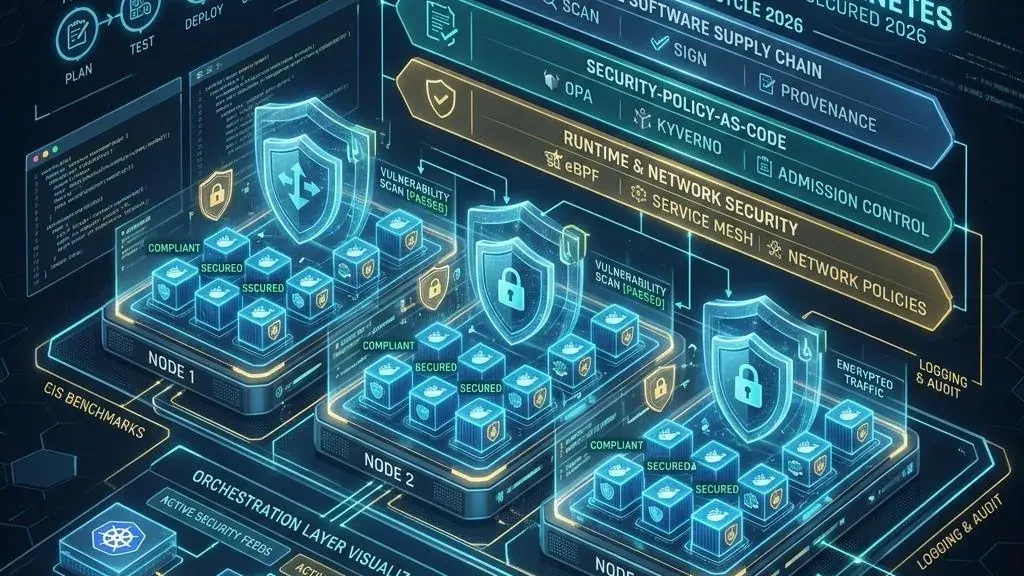
Keamanan Container dan Kubernetes: Panduan Lengkap DevSecOps untuk Infrastruktur Modern
Daftar Isi 11 bagian
Ringkasan Eksekutif
Container dan Kubernetes telah menjadi standar de facto untuk deployment aplikasi modern. Tapi adopsi yang cepat sering kali mengorbankan keamanan. Angkanya mengkhawatirkan: 94% organisasi yang menjalankan container mengalami setidaknya satu insiden keamanan dalam 12 bulan terakhir, 60% container images di production memiliki kerentanan kritikal atau tinggi, dan 75% container berjalan dengan root privileges.
Yang lebih mengejutkan: Kubernetes cluster yang terekspos ke internet ditemukan dan diserang dalam waktu kurang dari 5 menit. Container security bukan sekadar “scan image sebelum deploy” — ia memerlukan pendekatan yang mencakup seluruh lifecycle, dari kode sumber hingga runtime.
Mengapa Container Security Berbeda
PERBEDAAN FUNDAMENTAL: VM vs CONTAINER SECURITY

VIRTUAL MACHINES:
├── Isolasi: hypervisor-level (kuat)
├── Kernel: masing-masing VM punya kernel sendiri
├── Attack surface: VM + guest OS + aplikasi
├── Lifecycle: mingguan-bulanan (relatif statis)
├── Patch: per VM, outage window
├── Network: IP-based, static
└── Security tools: mature (firewall, AV, IDS)

CONTAINERS:
├── Isolasi: kernel-level via namespaces/cgroups (lebih lemah dari VM)
├── Kernel: berbagi kernel host — kernel exploit = semua container
├── Attack surface: container + aplikasi (lebih kecil)
├── Lifecycle: jam-hari (sangat dinamis)
├── Patch: rebuild image, redeploy
├── Network: IP-based, dynamic, microservices mesh
├── Security tools: masih berkembang
└── Kompleksitas: layer images, orchestrator (K8s), service mesh

IMPLIKASI KEAMANAN:
├── Container breakout adalah ancaman nyata (kernel sharing)
├── Image yang tidak di-scan = kerentanan yang di-deploy otomatis
├── Network policies harus dinamis mengikuti pergerakan container
├── Immutable infrastructure: jangan patch container running — rebuild
├── IaC (Infrastructure as Code): security harus di-declare di kode
└── Shift-left: keamanan harus dimulai dari development, bukan setelah deploy
Threat Model Container dan Kubernetes
THREAT MODEL: SIAPA YANG MENGANCAM DAN BAGAIMANA?

1. EXTERNAL ATTACKER → COMPROMISED CONTAINER
   ├── Eksploitasi kerentanan aplikasi (SQLi, RCE, SSRF)
   ├── Eksploitasi API yang terekspos tanpa autentikasi
   ├── Credential leakage di image/Dockerfile
   └── Target: mendapatkan shell di dalam container

2. COMPROMISED CONTAINER → CONTAINER BREAKOUT
   ├── Kernel exploit (Dirty COW, kernel privilege escalation)
   ├── Docker socket mount (/var/run/docker.sock) — "root everything"
   ├── Privileged container (--privileged flag)
   ├── Capabilities yang berlebihan (CAP_SYS_ADMIN)
   ├── Host volume mounts (tulis ke /etc, cron, SSH)
   └── Target: escape container ke host node

3. COMPROMISED NODE → CLUSTER COMPROMISE
   ├── Akses ke secrets semua pod di node tersebut
   ├── Akses ke kubelet API
   ├── Lateral movement ke node lain via network
   ├── Akses ke etcd jika kubelet credentials ada
   └── Target: kontrol seluruh cluster

4. COMPROMISED CLUSTER → CLOUD ACCOUNT
   ├── Cloud provider credentials (IAM roles, service accounts)
   ├── Akses ke managed services (database, storage)
   ├── Cryptomining di seluruh node
   ├── Data exfiltration dari semua workloads
   └── Target: pivot ke cloud infrastructure

5. SUPPLY CHAIN ATTACK
   ├── Malicious base image (docker pull trojanized image)
   ├── Compromised CI/CD pipeline
   ├── Malicious dependencies di application code
   ├── Compromised Helm chart atau Kubernetes operator
   └── Target: deploy backdoor di production environment

6. INSIDER THREAT / MISCONFIGURATION
   ├── Developer dengan akses kubectl terlalu luas
   ├── Service account token bocor di git repository
   ├── RBAC misconfiguration — default service account dengan cluster-admin
   ├── Network policy tidak ada — semua pod bisa saling akses
   └── Target: sering kali tidak sengaja — tapi dampaknya sama
Keamanan di Setiap Fase Container Lifecycle
CONTAINER LIFECYCLE SECURITY

FASE 1: CODE (PRE-COMMIT)
├── Static Analysis (SAST): deteksi kerentanan di source code
├── Dependency scanning: cek library pihak ketiga (npm, pip, maven, go modules)
├── Secrets detection: cegah hardcoded secrets di code (git-secrets, truffleHog, Gitleaks)
├── IaC scanning: cek Terraform, Helm, K8s manifests (Checkov, tfsec, KICS)
└── Pre-commit hooks: block commit jika ada temuan kritikal

FASE 2: BUILD (CI PIPELINE)
├── Dockerfile analysis:
│   ├── Jangan gunakan latest tag — pin specific version
│   ├── Multi-stage builds — pisahkan build dari runtime
│   ├── Non-root user: USER 1000 (bukan USER root)
│   ├── Minimal base image: distroless, scratch, alpine
│   └── COPY --chown untuk file permissions
├── Image scanning:
│   ├── OS packages (apt, apk, yum)
│   ├── Application dependencies (npm, pip, gem, maven)
│   ├── Known vulnerabilities (CVE database)
│   ├── Malware scanning
│   └── Tools: Trivy, Grype, Snyk, Aqua, Prisma Cloud
├── Image signing:
│   ├── Sign image dengan Cosign (Sigstore)
│   ├── Attestation: SBOM, vulnerability scan result
│   ├── Verify signature sebelum deploy
│   └── Kebijakan: hanya signed images yang boleh di-deploy
└── Build-time policies:
    ├── Block build jika ada CVE Critical/High
    ├── Block build jika image berjalan sebagai root
    ├── Block build jika secrets terdeteksi
    └── Block build jika base image tidak approved

FASE 3: REGISTRY (STORAGE & DISTRIBUTION)
├── Access control untuk registry:
│   ├── Siapa yang bisa push/pull image?
│   ├── RBAC per repository/project
│   └── CI/CD pipeline dengan service account least privilege
├── Continuous scanning:
│   ├── Image di registry di-scan ulang setiap hari
│   ├── CVE baru muncul setiap hari — image yang kemarin aman bisa rentan hari ini
│   └── Policy: jika CVE baru kritikal, alert dan trigger rebuild
├── Image promotion:
│   ├── Dev registry → Staging → Production registry
│   ├── Setiap stage harus lulus scan + policy check
│   └── Production registry hanya menerima signed images
├── Retention & cleanup:
│   ├── Hapus image lama yang tidak digunakan
│   ├── Kurangi attack surface registry
│   └── Audit log: siapa mengakses image apa, kapan

FASE 4: DEPLOY (CD PIPELINE)
├── Admission controllers:
│   ├── Validating webhook: tolak deployment yang melanggar policy
│   ├── Mutating webhook: otomatis inject security configurations
│   └── Tools: OPA/Gatekeeper, Kyverno, Kyverno
├── Policy enforcement (OPA/Gatekeeper, Kyverno):
│   ├── Harus punya resource limits (CPU, memory)
│   ├── Tidak boleh privileged container
│   ├── Tidak boleh hostPath mounts
│   ├── Harus punya readOnlyRootFilesystem
│   ├── Tidak boleh hostNetwork/hostPID/hostIPC
│   ├── Harus punya securityContext (runAsNonRoot, seccomp, AppArmor)
│   └── Harus punya liveness/readiness probe
├── Network policies:
│   ├── Default deny all — explicit allow only
│   ├── Pod hanya bisa akses yang diperlukan
│   └── Namespace isolation
└── Pod Security Standards (PSS):
    ├── Privileged: tidak ada restriksi (jangan gunakan)
    ├── Baseline: minimal hardening (default)
    └── Restricted: hardening maksimal (rekomendasi untuk production)

FASE 5: RUNTIME (OPERATIONS)
├── Threat detection:
│   ├── Anomaly detection (Falco, Sysdig)
│   ├── Drift detection: ada proses baru yang tidak dikenal
│   ├── Network anomaly: koneksi ke IP mencurigakan
│   └── Crypto mining detection
├── Vulnerability management:
│   ├── Continuous runtime scanning
│   ├── Prioritization: yang mana yang benar-benar berbahaya?
│   └── Auto-remediation: rebuild dan redeploy image yang rentan
├── Compliance monitoring:
│   ├── CIS Benchmark untuk Docker & Kubernetes
│   ├── PCI-DSS, HIPAA, SOC2 controls
│   └── Audit logging semua aktivitas
└── Incident response:
    ├── Isolate compromised pod (network policy)
    ├── Snapshot forensik sebelum terminate
    ├── Rotasi secrets yang mungkin terekspos
    └── Rebuild dari clean image
Image Security: Fondasi Keamanan Container
BEST PRACTICES UNTUK SECURE IMAGES

1. PILIH BASE IMAGE DENGAN BIJAK
   ├── Official images dari Docker Hub — diverifikasi
   ├── Cek image digest (SHA256), bukan tag yang bisa berubah
   │   Contoh: ubuntu@sha256:abc123... (bukan ubuntu:latest)
   ├── Distroless: hanya berisi aplikasi dan runtime dependencies
   │   ├── Tidak ada shell — tidak bisa exec ke container
   │   ├── Tidak ada package manager — tidak bisa install tools
   │   ├── Tidak ada utilities — mengurangi attack surface
   │   └── Google Distroless, Chainguard Images
   ├── Scratch: empty image — untuk static binary (Go, Rust)
   └── Alpine: musl libc, APK package manager, hanya 5 MB

2. MINIMIZE ATTACK SURFACE
   ├── Multi-stage builds:
   │   └── Stage 1: build dengan semua dev tools
   │   └── Stage 2: COPY hanya binary/output
   │   └── Final image: kecil dan tanpa tools build
   ├── Hapus package manager cache (apt clean, apk cache clean)
   ├── Hapus temporary files (/tmp, /var/tmp)
   ├── Hapus documentation dan manual pages
   └── Prinsip: jika tidak dibutuhkan untuk runtime, jangan ada di image

3. NON-ROOT USER
   ├── SELALU buat user khusus untuk aplikasi
   │   └── RUN addgroup -S appgroup && adduser -S appuser -G appgroup
   │   └── USER appuser
   ├── Jangan pernah USER root
   ├── UID > 10000 untuk menghindari konflik dengan UID host
   └── Pod SecurityContext: runAsNonRoot: true

4. FILE SYSTEM HARDENING
   ├── Read-only root filesystem jika memungkinkan
   │   └── securityContext.readOnlyRootFilesystem: true
   ├── Volume mounts untuk path yang perlu write (/tmp, /var/log)
   ├── Chmod/chown yang tepat untuk setiap file
   └── COPY --chown=appuser:appgroup app /app

5. SECRETS DI IMAGE = BENCANA
   ├── TIDAK PERNAH menyimpan secrets di image
   ├── Ini termasuk:
   │   ├── Password, API keys, tokens
   │   ├── Private keys, certificates
   │   ├── Environment variables dengan secrets di Dockerfile
   │   └── .env files yang ikut ter-copy
   ├── Image layer history bisa diinspeksi:
   │   └── docker history <image> — semua layer terlihat
   │   └── Bahkan jika dihapus di layer berikutnya, tetap ada di history
   └── Solusi: inject secrets saat runtime via K8s Secrets, Vault, atau external provider

CONTOH DOCKERFILE YANG AMAN:
```dockerfile
# Stage 1: Build
FROM golang:1.22-alpine AS builder
WORKDIR /build
COPY go.mod go.sum ./
RUN go mod download
COPY . .
RUN CGO_ENABLED=0 go build -o /app .

# Stage 2: Run
FROM gcr.io/distroless/static-debian12:nonroot
COPY --from=builder /app /app
USER nonroot:nonroot
EXPOSE 8080
ENTRYPOINT ["/app"]
---

## Kubernetes Security: 10 Pilar Keamanan Cluster

```text
10 PILAR KEAMANAN KUBERNETES

PILAR 1: API SERVER SECURITY
├── Selalu gunakan TLS — tidak ada HTTP plaintext
├── Batasi akses ke API server (network-level)
│   ├── Firewall: hanya dari node cluster dan trusted IP
│   └── Jangan expose API server ke internet publik
├── Authentication: semua akses harus melalui autentikasi
│   ├── X.509 certificates (kubectl users)
│   ├── Service Account tokens (pods)
│   ├── OIDC (human users via SSO)
│   └── Webhook token authentication
├── Anonymous auth: disable (--anonymous-auth=false)
├── Audit logging: log semua request ke API server
└── Rate limiting: --max-requests-inflight

PILAR 2: RBAC (ROLE-BASED ACCESS CONTROL)
├── Principle of Least Privilege
│   ├── Default: DENY all
│   └── Explicitly allow only what's needed
├── Namespace isolation:
│   ├── Tim A tidak bisa akses resources Tim B
│   └── Role + RoleBinding per namespace
├── Service account per aplikasi:
│   ├── Jangan gunakan default service account
│   ├── Setiap pod punya SA spesifik dengan akses minimal
│   └── SA token automount: false jika tidak diperlukan
├── Avoid cluster-admin:
│   ├── Jangan berikan cluster-admin ke siapapun (bahkan admin)
│   ├── Gunakan Role + RoleBinding spesifik
│   └── Jika perlu cluster-admin: gunakan Just-in-Time access
├── Regular audit RBAC:
│   ├── Siapa yang punya akses apa?
│   ├── Apakah akses masih diperlukan?
│   └── Tools: kubectl auth can-i, rbac-lookup, kube-bench, popeye
└── Contoh RBAC minimal untuk aplikasi:
```yaml
apiVersion: rbac.authorization.k8s.io/v1
kind: Role
metadata:
  namespace: app-namespace
  name: app-reader
rules:
- apiGroups: [""]
  resources: ["configmaps", "secrets"]
  verbs: ["get", "list"]
---
apiVersion: rbac.authorization.k8s.io/v1
kind: RoleBinding
metadata:
  namespace: app-namespace
  name: app-reader-binding
subjects:
- kind: ServiceAccount
  name: app-sa
  namespace: app-namespace
roleRef:
  kind: Role
  name: app-reader
  apiGroup: rbac.authorization.k8s.io
PILAR 3: NETWORK POLICIES ├── Default deny all: blokir semua traffic, izinkan yang diperlukan ├── Namespace isolation: namespace A tidak bisa akses namespace B ├── Pod-to-pod: whitelist koneksi spesifik ├── External access: batasi akses ke internet ├── Ingress/Egress rules eksplisit └── Network plugin: Calico, Cilium, Weave Net (mendukung NetworkPolicy)
# Default deny all ingress
apiVersion: networking.k8s.io/v1
kind: NetworkPolicy
metadata:
  name: default-deny-ingress
spec:
  podSelector: {}
  policyTypes:
  - Ingress
PILAR 4: POD SECURITY ├── Pod Security Admission (PSA) — gantikan PSP: │ ├── enforce: restricted (production) │ ├── audit: baseline (monitor) │ └── warn: baseline (peringatan) ├── SecurityContext per pod/container: │ ├── runAsNonRoot: true │ ├── runAsUser: 1000 │ ├── readOnlyRootFilesystem: true │ ├── allowPrivilegeEscalation: false │ ├── capabilities.drop: [“ALL”] │ └── seccompProfile.type: RuntimeDefault ├── TIDAK BOLEH: │ ├── privileged: true │ ├── hostNetwork, hostPID, hostIPC │ ├── hostPath volumes │ └── CAP_SYS_ADMIN, CAP_NET_RAW └── Seccomp, AppArmor, SELinux profiles
PILAR 5: ETCD SECURITY ├── etcd = single source of truth — kompromi etcd = kompromi cluster ├── Selalu enkripsi etcd data at rest ├── TLS untuk semua komunikasi etcd ├── Client certificate authentication ├── Jangan expose etcd ke network selain API server └── Backup etcd: encrypted, di luar cluster, diuji restore-nya
PILAR 6: KUBELET SECURITY ├── Kubelet API: jangan anonymous auth ├── AlwaysPullImages: cegah image caching attack ├── Rotate certificates: otomatis perbarui kubelet certs ├── Batasi apa yang bisa diakses via kubelet └── Node Restriction admission plugin
PILAR 7: WORKLOAD IDENTITY ├── Jangan gunakan static credentials di pods ├── Workload identity untuk akses cloud resources: │ ├── AWS: IAM Roles for Service Accounts (IRSA) │ ├── GCP: Workload Identity │ ├── Azure: Workload Identity │ └── On-prem: SPIRE/SPIFFE ├── Service account token volume projection └── Token expiry: buat token kadaluarsa pendek (1 jam)
PILAR 8: SECRETS MANAGEMENT ├── K8s Secrets: default-nya base64 encoding (bukan enkripsi) ├── Enable encryption at rest untuk Secrets ├── Gunakan external secrets provider: │ ├── HashiCorp Vault + Vault Sidecar Injector │ ├── External Secrets Operator (ESO) │ ├── Sealed Secrets │ └── CSP-native: AWS Secrets Manager, Azure Key Vault, Google Secret Manager ├── Secret rotation otomatis └── Jangan pernah commit secrets ke git
PILAR 9: SUPPLY CHAIN SECURITY ├── Signed images: Cosign/Sigstore ├── SBOM (Software Bill of Materials): Syft, Trivy ├── Image provenance: attestasi build process ├── Verifikasi di admission controller: │ ├── Tolak unsigned images │ ├── Tolak images dengan high CVE │ └── Tolak base images yang tidak approved └── Update strategy: rolling update, bukan recreate
PILAR 10: LOGGING, MONITORING, AUDIT ├── Audit logging API server: log semua request ke API ├── Container logging: stdout/stderr → centralized logging (ELK, Loki) ├── Runtime monitoring: Falco untuk syscall anomaly detection ├── Metrics: Prometheus + Grafana untuk resource & security metrics ├── Alerting: alert untuk security events (privileged container, unusual syscall) └── Compliance scanning: kube-bench (CIS), popeye, kube-hunter
---

## Supply Chain Security untuk Container

```text
SUPPLY CHAIN SECURITY — DARI SOURCE CODE KE PRODUCTION

ATTACK VECTORS DI SUPPLY CHAIN:

1. SOURCE CODE
   ├── Malicious code dari developer (insider threat)
   ├── Compromised dependency (npm, pip, maven, go modules)
   └── Mitigasi: code review, SAST, dependency scanning

2. CI/CD PIPELINE
   ├── Compromised CI/CD runner
   ├── Malicious build script
   ├── Secrets di build logs
   └── Mitigasi: isolated runners, audit CI/CD config, secret masking

3. BASE IMAGE
   ├── Malicious base image dari registry publik
   ├── Outdated image dengan CVE known
   └── Mitigasi: verified images, distroless, regular scanning

4. BUILD PROCESS
   ├── Compromised build tools
   ├── Secrets di image layers
   └── Mitigasi: hermetic builds, multi-stage, secret injection at runtime

5. REGISTRY
   ├── Unauthorized push ke registry
   ├── Image tampering di registry
   └── Mitigasi: RBAC, image signing, immutable tags

6. DEPLOYMENT
   ├── Unauthorized deployment
   ├── Deployment dari image yang tidak terverifikasi
   └── Mitigasi: admission control, signed images only

FRAMEWORK: SLSA (SUPPLY-CHAIN LEVELS FOR SOFTWARE ARTIFACTS)

LEVEL 0: Tidak ada jaminan
LEVEL 1: Build process documented — provenance ada
LEVEL 2: Build service terkelola — build definition versioned
LEVEL 3: Build non-falsifiable — signed attestation, hermetic build, isolated
LEVEL 4: Build highest security — two-person review, audit log, reproducible builds

REKOMENDASI:
├── Target minimal SLSA Level 2 untuk aplikasi internal
├── Target SLSA Level 3 untuk aplikasi customer-facing
├── Target SLSA Level 4 untuk critical infrastructure
└── Tools: Sigstore (Cosign, Rekor, Fulcio), SLSA GitHub Generator, Tekton Chains
Runtime Security
RUNTIME SECURITY — MELINDUNGI CONTAINER YANG SEDANG BERJALAN

1. ANOMALY DETECTION (FALCO)
   ├── Engine: kernel module atau eBPF probe
   ├── Rules: definisikan perilaku normal dan alert untuk anomali
   ├── Deteksi:
   │   ├── Unexpected process execution (shell di production container)
   │   ├── File access di lokasi sensitif (/etc/shadow)
   │   ├── Network connection ke IP mencurigakan
   │   ├── Privilege escalation attempt
   │   ├── Container breakout attempt
   │   └── Crypto mining activity
   └── Integrasi: SIEM, notification (Slack, PagerDuty), response automation

2. DRIFT DETECTION
   ├── Immutable infrastructure: container tidak berubah setelah start
   ├── Deteksi perubahan:
   │   ├── File system changes (file baru, file dimodifikasi)
   │   ├── Process changes (proses baru yang tidak dikenal)
   │   ├── Package installation
   │   └── Configuration changes
   ├── Alert: jika ada drift, container mungkin sudah compromised
   └── Response: isolate dan ganti container

3. BEHAVIORAL BASELINE
   ├── Pelajari perilaku normal setiap workload (ML)
   ├── Deteksi anomali: perilaku yang menyimpang dari baseline
   ├── Contoh:
   │   ├── Web app biasanya baca /var/www — tiba-tiba baca /etc/passwd
   │   ├── Biasanya koneksi ke database internal — tiba-tiba ke IP asing
   │   └── Biasanya CPU 10% — tiba-tiba 100% (cryptomining)
   └── Tools: Falco + custom rules, Sysdig Secure

4. VULNERABILITY MANAGEMENT
   ├── Runtime scanning: scan image yang sedang berjalan
   ├── Prioritization:
   │   ├── Apakah CVE exploitable? (attack vector, complexity)
   │   ├── Apakah package benar-benar digunakan?
   │   ├── Apakah container exposed ke network?
   │   └── Apakah ada fix tersedia?
   ├── Remediation:
   │   ├── Rebuild image dengan package yang sudah diperbarui
   │   ├── Redeploy (rolling update — zero downtime)
   │   └── Jika tidak bisa di-patch: virtual patching + increased monitoring
   └── Metrics: Mean Time to Remediate (MTTR) untuk kerentanan

5. CONTAINER ESCAPE DETECTION
   ├── Indikasi breakout attempt:
   │   ├── Akses ke /proc, /sys, /dev yang tidak wajar
   │   ├── Mount namespace escape
   │   ├── Capability abuse (CAP_SYS_ADMIN, CAP_SYS_PTRACE)
   │   ├── Cgroup escape
   │   └── Kernel exploit patterns
   ├── Jika terdeteksi: ISOLASI SEGERA — terminate container, kordonskan node
   └── Forensik: capture memory dan disk sebelum cleanup
Secrets Management
MANAJEMEN SECRETS DI KUBERNETES

MENGAPA K8S SECRETS TIDAK CUKUP:
├── Default: base64 encoding — bukan enkripsi
├── Siapa pun dengan akses kubectl bisa baca
├── Disimpan di etcd — perlu enkripsi at rest
├── Tidak ada secret rotation otomatis
├── Tidak ada audit log siapa yang mengakses
└── Tidak ada dynamic secrets

SOLUSI: EXTERNAL SECRETS OPERATOR (ESO)

  ┌─────────────────────────────────────────────────────┐
  │                 EXTERNAL SECRETS OPERATOR             │
  │                                                       │
  │  1. Developer buat ExternalSecret CR                  │
  │     ──────────────────────────────────────────>      │
  │                                                       │
  │  2. ESO fetch secret dari provider                    │
  │     ──────────────────────────────────────────>      │
  │     AWS Secrets Manager / Azure Key Vault /           │
  │     GCP Secret Manager / HashiCorp Vault / ...       │
  │                                                       │
  │  3. ESO buat K8s Secret                               │
  │     ──────────────────────────────────────────>      │
  │                                                       │
  │  4. Pod mount Secret sebagai env var / volume          │
  └─────────────────────────────────────────────────────┘

PROVIDER YANG DIDUKUNG:
├── AWS Secrets Manager & Parameter Store
├── Azure Key Vault
├── GCP Secret Manager
├── HashiCorp Vault
├── CyberArk Conjur
├── Akeyless
├── 1Password Connect
└── ...dan lainnya via plugin

BEST PRACTICES:
├── Dynamic secrets: generate secret on-demand, expired otomatis
├── Secret rotation: rotate setiap 30-90 hari (atau lebih sering)
├── Least privilege: pod hanya bisa akses secret yang dibutuhkan
├── Audit: log setiap akses secret
├── Encryption everywhere: TLS untuk transit, KMS untuk at rest
└── Never in code: secrets tidak pernah di hardcode atau di git
Monitoring, Logging, dan Audit
OBSERVABILITY UNTUK CONTAINER SECURITY

1. METRICS (PROMETHEUS + GRAFANA)
   ├── Resource metrics: CPU, memory, network, disk per container
   ├── Security metrics:
   │   ├── Pod restart count (meningkat = compromised?)
   │   ├── Failed authentication attempts
   │   ├── Network policy drops
   │   ├── Image vulnerability count per namespace
   │   └── Container runtime anomalies
   └── Dashboards: overview per cluster, per namespace, per workload

2. LOGGING (ELASTIC / LOKI / SPLUNK)
   ├── Application logs: stdout/stderr container
   ├── Kubernetes audit logs: semua request ke API server
   ├── Node logs: kubelet, container runtime (containerd, CRI-O)
   ├── Security tool logs: Falco, OPA/Gatekeeper, admission controller
   ├── Cloud provider logs: AWS CloudTrail, Azure Activity Log, GCP Audit Log
   └── Centralized: semua log ke satu tempat — bisa dicari dan dikorelasikan

3. AUDIT LOG ANALYSIS
   ├── Apa yang perlu di-audit:
   │   ├── Semua permintaan ke API server (terutama create/update/delete)
   │   ├── Akses ke Secrets dan ConfigMaps
   │   ├── RBAC changes (Role, RoleBinding, ClusterRole)
   │   ├── Pod exec dan port-forward
   │   ├── Network policy changes
   │   └── Admission controller decisions
   ├── Tools: Falco + audit log plugin, kube-audit, audit2rbac
   └── Alert: RBAC escalation, Secret access outside normal, pod exec

4. COMPLIANCE SCANNING
   ├── CIS Kubernetes Benchmark:
   │   ├── kube-bench: scan master node + worker node
   │   └── Harus dilakukan setiap bulan + setelah setiap upgrade cluster
   ├── CIS Docker Benchmark:
   │   └── docker-bench-security
   ├── NSA/CISA Kubernetes Hardening Guidance
   └── PCI-DSS / HIPAA / SOC2 controls untuk container workloads

5. DASHBOARD REKOMENDASI
   ├── Overview: total cluster, nodes, pods, images
   ├── Vulnerability: top CVE, images with most vulns
   ├── Compliance: CIS score per cluster
   ├── Runtime: Falco alerts over time
   ├── Network: policy coverage (berapa % pod yang di-cover network policy)
   └── Secrets: rotation status, access patterns
Incident Response untuk Container
INCIDENT RESPONSE PLAYBOOK — COMPROMISED CONTAINER

FASE 1: DETECTION (MENIT 0-5)
├── Sumber alert:
│   ├── Falco: unexpected process, file access, network anomaly
│   ├── EDR: malicious activity on node
│   ├── SIEM: correlated alerts
│   ├── Vulnerability scanner: critical CVE found
│   └── Manual: suspicious behavior observed
├── Initial triage:
│   ├── Container ID, pod name, namespace
│   ├── Image name and tag
│   ├── Node tempat pod berjalan
│   ├── Timeline: kapan dimulai?
│   └── Severity: data accessible? network exposure?

FASE 2: CONTAINMENT (MENIT 5-15)
├── Isolasi container:
│   ├── Network policy: blokir semua traffic ke/dari pod
│   ├── Atau: cordon node — tidak ada pod baru dijadwalkan
│   └── Jangan langsung kill container — lakukan forensik dulu
├── Cegah lateral movement:
│   ├── Audit RBAC: apa yang bisa diakses SA pod ini?
│   ├── Rotasi secrets yang mungkin diakses
│   └── Periksa koneksi yang terjalin dari pod
├── Preserve evidence:
│   ├── Snapshot container: docker commit atau CRI snapshot
│   ├── Capture memory dump (jika ada tanda malware)
│   ├── Capture network traffic (tcpdump dari host)
│   ├── Capture logs: container logs, node logs
│   └── Capture disk (volume mounts)

FASE 3: INVESTIGATION (MENIT 15-120)
├── Analisis forensik:
│   ├── File system analysis: file baru, file dimodifikasi
│   ├── Process tree: proses mencurigakan
│   ├── Network: koneksi ke IP/domain mencurigakan
│   ├── Image layer analysis: dari layer mana malware berasal?
│   └── Timeline reconstruction: urutan kejadian
├── Root cause analysis:
│   ├── Kerentanan aplikasi yang dieksploitasi?
│   ├── Image dengan malware pre-installed?
│   ├── Compromised credentials?
│   └── Misconfiguration?
├── Scope assessment:
│   ├── Apakah node lain terdampak?
│   ├── Apakah data tereksfiltrasi?
│   ├── Apakah container lain menggunakan image yang sama?
│   └── Apakah secrets bocor?

FASE 4: ERADICATION & RECOVERY (JAM 0-24)
├── Hapus container yang compromised:
│   ├── Kill dan hapus pod
│   ├── Hapus image dari node
│   └── Hapus semua artifacts
├── Jika node compromised:
│   ├── Drain node
│   ├── Rebuild/reimage node
│   └── Kembalikan ke cluster setelah bersih
├── Deploy dari CLEAN image:
│   ├── Rebuild image dengan patch/vendor fix
│   ├── Scan image sebelum deploy
│   ├── Deploy dengan rolling update
│   └── Verifikasi: aplikasi berjalan normal
├── Rotasi semua kredensial:
│   ├── Service account tokens
│   ├── Secrets dan ConfigMaps
│   ├── API keys dan certificates
│   └── Cloud provider credentials

FASE 5: POST-MORTEM (HARI 1-14)
├── Dokumentasi:
│   ├── Timeline komplit
│   ├── Root cause
│   ├── Dampak
│   └── Tindakan yang diambil
├── Perbaikan:
│   ├── Update security policies (OPA/Gatekeeper)
│   ├── Perbaiki image build pipeline
│   ├── Tambah detection rules (Falco)
│   ├── Update incident response playbook
│   └── Training untuk tim
└── Share knowledge:
    ├── Internal post-mortem meeting
    ├── Update runbook
    └── Jika relevan: share anonimized findings ke komunitas
Checklist Keamanan Container untuk Produksi
CHECKLIST PRODUCTION READINESS — CONTAINER & KUBERNETES SECURITY

IMAGE SECURITY:
[ ] Gunakan base image resmi yang minimal (distroless/alpine)
[ ] Non-root user (USER 1000+ di Dockerfile)
[ ] Image di-scan untuk CVE (Trivy, Grype, Snyk)
[ ] Tidak ada secrets di image layer
[ ] Image ditandatangani (Cosign)
[ ] SBOM tersedia (Syft)
[ ] Multi-stage builds — pisahkan build dari runtime

POD SECURITY:
[ ] securityContext.runAsNonRoot: true
[ ] securityContext.readOnlyRootFilesystem: true
[ ] securityContext.allowPrivilegeEscalation: false
[ ] securityContext.capabilities.drop: ["ALL"]
[ ] securityContext.seccompProfile.type: RuntimeDefault
[ ] resource requests & limits (CPU, memory)
[ ] liveness & readiness probe dikonfigurasi

KUBERNETES SECURITY:
[ ] RBAC diterapkan (least privilege)
[ ] Network policies: default deny, explicit allow
[ ] Pod Security Admission: restricted
[ ] API server: tidak exposed ke publik
[ ] etcd: encryption at rest, TLS
[ ] Audit logging diaktifkan
[ ] OPA/Gatekeeper atau Kyverno untuk policy enforcement

SECRETS MANAGEMENT:
[ ] Enkripsi Secrets di etcd
[ ] External Secrets Operator (atau Vault)
[ ] Workload identity (IRSA, Workload Identity)
[ ] Tidak ada secrets di ConfigMap
[ ] Tidak ada secrets di environment variables hardcoded
[ ] Secret rotation terotomatisasi

RUNTIME SECURITY:
[ ] Falco (atau sejenis) untuk anomaly detection
[ ] Runtime vulnerability scanning (continuous)
[ ] Drift detection
[ ] Container breakout detection
[ ] Alerting terkonfigurasi (Slack, PagerDuty, email)

SUPPLY CHAIN:
[ ] Dependency scanning di CI pipeline
[ ] SAST (Static Application Security Testing)
[ ] Image scanning di CI pipeline
[ ] Signed commits (git commit signing)
[ ] Signed images (Cosign)
[ ] Provenance attestation
[ ] Admission controller: hanya signed + scanned images

MONITORING & COMPLIANCE:
[ ] Prometheus + Grafana dashboards
[ ] Centralized logging (ELK/Loki)
[ ] Audit log analysis
[ ] CIS Benchmark scanning (kube-bench) setiap bulan
[ ] PCI-DSS/HIPAA/SOC2 compliance (sesuai kebutuhan)
[ ] Incident response playbook untuk container

OPERATIONS:
[ ] Node auto-repair
[ ] etcd backup terenkripsi (dan diuji restore-nya)
[ ] Cluster upgrade plan (minimal setiap 6 bulan)
[ ] Disaster recovery plan
[ ] Security awareness training untuk developer
[ ] Regular penetration testing (minimal 6 bulan sekali)
Kesimpulan
Keamanan container dan Kubernetes bukan tugas sekali jadi — ini adalah proses berkelanjutan yang harus tertanam dalam setiap tahap software development lifecycle. Dari kode yang ditulis developer hingga container yang berjalan di production, setiap fase memiliki risiko keamanannya sendiri.
Prinsip-prinsip yang harus selalu dipegang:
Shift-left. Keamanan harus dimulai dari development, bukan ditambahkan setelah deployment. Scan image di CI pipeline, jangan menunggu sampai di production.
Least privilege everywhere. Container tanpa root, RBAC minimal, network policy ketat, capabilities di-drop semua. Setiap izin yang tidak diperlukan adalah attack surface tambahan.
Immutable infrastructure. Jangan patch container yang berjalan — rebuild dan redeploy. Ini bukan sekadar best practice, ini adalah fondasi keamanan container.
Assume breach. Runtime security dengan Falco atau sejenisnya, anomaly detection, dan incident response playbook harus siap sebelum insiden terjadi. Container yang terkompromi bisa menjadi batu loncatan ke seluruh cluster dalam hitungan menit.
Automation. Policy as Code melalui OPA/Gatekeeper, automated scanning, automated response. Manual processes tidak bisa mengimbangi kecepatan dan skala container orchestration.
Dengan menerapkan prinsip-prinsip ini, organisasi bisa memanfaatkan kecepatan dan fleksibilitas container tanpa mengorbankan keamanan.
Sumber Referensi: Kubernetes Official Documentation (Security), CIS Kubernetes Benchmark v1.8, CIS Docker Benchmark v1.6, NSA/CISA Kubernetes Hardening Guidance, OWASP Container Security Cheat Sheet, SLSA Framework, Falco Documentation, Trivy/Grype/Snyk Documentation, Sigstore Documentation.